
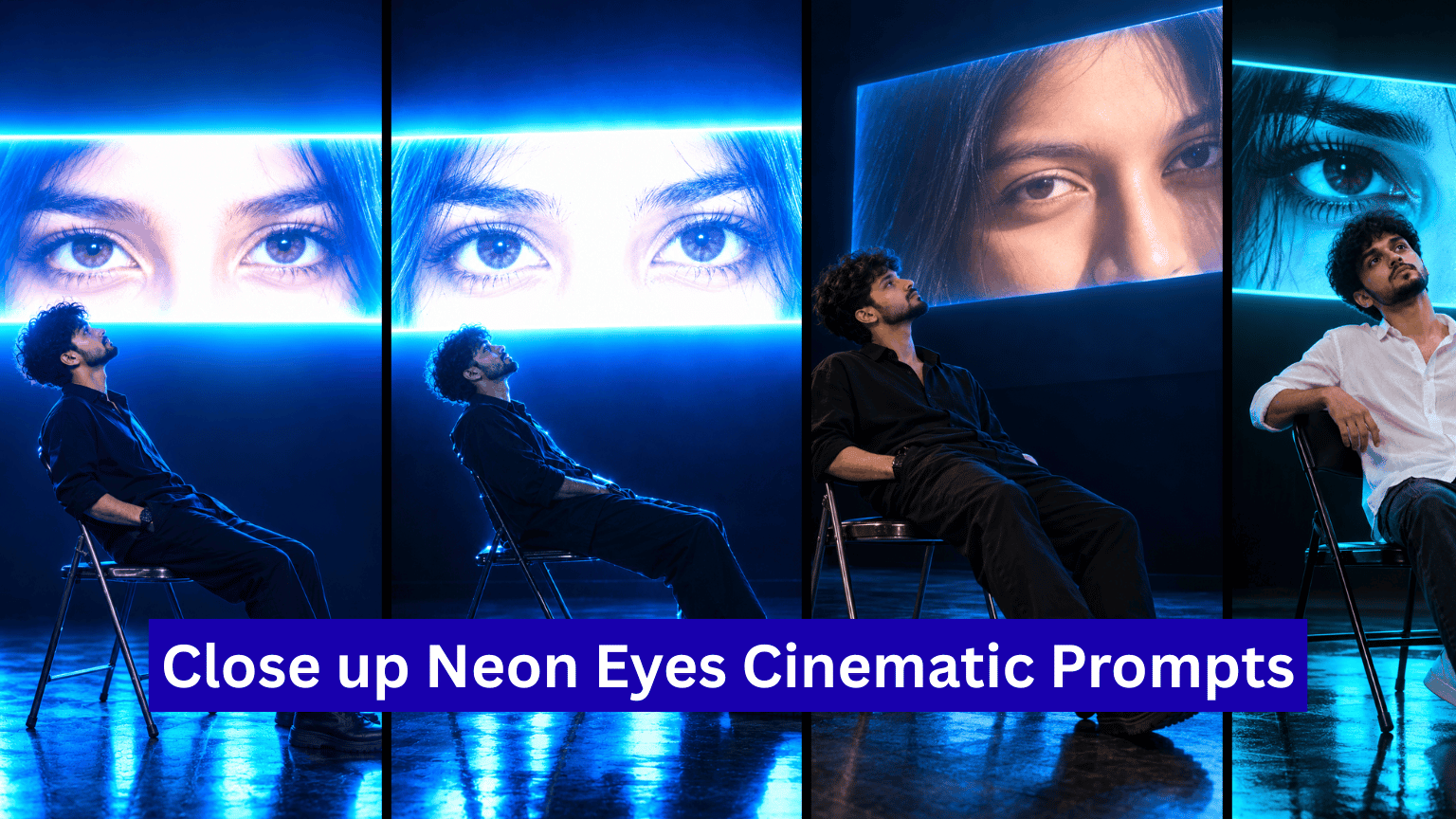
Neon Eyes Cinematic: A lot of people are currently posting photos with glowing eyes in their Instagram stories. These are completely AI-generated. Today, I’ll explain how to create them, so you can easily create them using just a prompt. Hello, my name is Sushil, and in this article, I’m going to share five prompts that will help you transform your own photo into a cinematic scene, where only a girl’s eyes are visible on a large screen, and blue neon light fills the entire frame. These prompts are available for both ChatGPT and Gemini, and are specifically designed for those who want a film-like result when uploading their photo.
The biggest challenge here is to show only the eyes on the screen—not the entire face. Furthermore, the neon glow should be strong enough to clearly reflect the boy’s face, hair, and floor. These two things are emphasized in the prompts below.
How does the Neon Eyes Cinematic prompt work?
This prompt creates a vertical 9:16 photo in which a boy in black clothes sits leaning back on a black metal folding chair. His head is tilted upwards, looking at a large horizontal LED screen. The screen shows a girl’s two eyes in very large, close-up. Only the eyes, eyelids, eyebrows, and the bridge of the nose are visible. The tip of the nose, mouth, cheeks, or chin—nothing else.
The screen’s light shines very brightly, as if in focus, and is almost white in the center, with an electric cyan edge. A thick neon border surrounds the screen, and a large blue halo extends into the surrounding darkness. The same blue light falls on the boy’s face, hair, shoulders, chair, and floor. The floor is shiny black with cyan reflections. The entire scene resembles a dark studio, with no other light except the screen.
Also Read: How to Create a Romantic Couple Eye Art Prompt Using AI
This prompt is for those who have two separate photos: one of a boy and one of a girl. If you only have a couple photo, it’s still possible, but the best results are achieved when both faces are clearly visible separately.
Close-up Neon Eyes Cinematic Prompt Details
This prompt focuses on extreme eye cropping and strong neon glow in a dark studio setting. The boy’s full body is visible at the bottom, while the screen dominates the top.
All Prompts
Prompt 1: Full Cinematic Screen Portrait
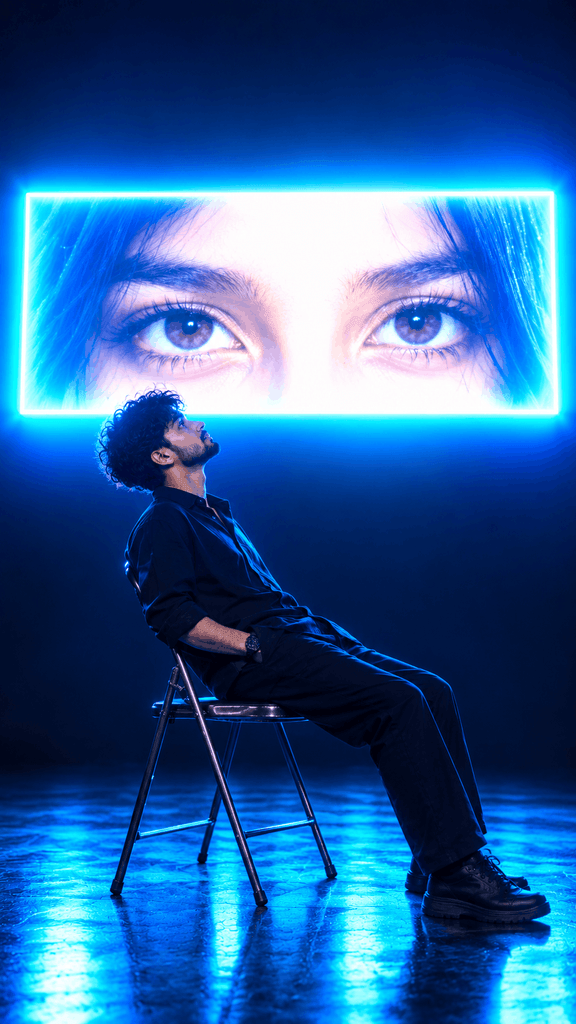
Create an ultra-realistic cinematic vertical 9:16 photograph. Use Reference 1 for the boy's identity and Reference 2 for the girl's identity.\
**BOY AND COMPOSITION:** The boy wears an all-black outfit and reclines backward on a black metal folding chair, in side profile, with his head tilted upward toward a giant horizontal LED screen. Show his full seated body and chair in the lower half of the frame.\
**EXTREME EYES-ONLY SCREEN CROP — HIGHEST PRIORITY:** The giant screen displays an extremely magnified macro photograph of ONLY the girl's two eyes. Both eyes must fill almost the entire screen. Crop tightly from just above the eyebrows to immediately below the lower eyelids. Show both complete eyes, eyelashes, eyebrows, and only a tiny portion of the upper nose bridge between the eyes. The nose tip, nostrils, cheeks, mouth, chin, and full-face portrait MUST NOT appear. Her eyes should look enormous, close, sharp, and unmistakable. Treat the screen as a tightly cropped eye photograph, NOT a zoomed-out face portrait.\
**BRILLIANT NEON GLOW — MATCH THE SECOND REFERENCE:** The screen is intensely luminous, with a nearly overexposed icy-white center and vivid electric-cyan edges. Thick, brilliant cyan-white neon border, powerful blue bloom, radiant blue halo spreading far into the dark studio, visible blue light rays, and intense blue spill lighting on the boy and floor. The screen must appear almost blindingly bright against the pitch-black midnight-blue background. Do not use a dim screen or a thin, weak glow.\
**SCENE:** Giant straight horizontal screen spanning nearly the full frame width in the upper-middle. Generous empty dark-blue space above it. Boy positioned directly beneath the screen, looking upward. Glossy black reflective floor with vivid cyan reflections. Deep shadows, realistic skin texture, dramatic high-contrast cinematic photography.\
**STRICT NEGATIVE CONSTRAINTS:** No full face on screen, no nose tip, no nostrils, no cheeks, no lips, no mouth, no text, no letters, no captions, no logos, no watermark. Preserve the reference identities. Prioritize the extreme eye crop and intense neon glow over all secondary details.This prompt covers everything—body, screen crop, glow, background, and negative constraints. If you only want to try one prompt, choose this one.
Prompt 2: Same Scene, Slightly Tighter Focus
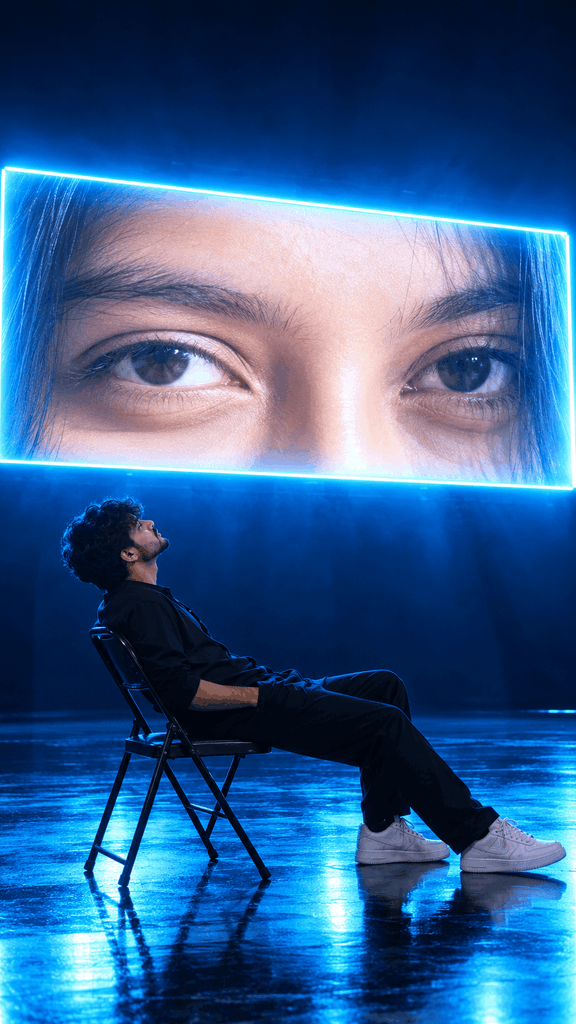
Create an ultra-realistic cinematic vertical 9:16 photograph. Use Reference 1 for the boy's identity and Reference 2 for the girl's identity.
**BOY AND COMPOSITION:** The boy wears an all-black outfit and reclines backward on a black metal folding chair, in side profile, with his head tilted upward toward a giant horizontal LED screen. Show his full seated body and chair in the lower half of the frame.
**EXTREME EYES-ONLY SCREEN CROP — HIGHEST PRIORITY:** The giant screen displays an extremely magnified macro photograph of ONLY the girl's two eyes. Both eyes must fill almost the entire screen. Crop tightly from just above the eyebrows to immediately below the lower eyelids. Show both complete eyes, eyelashes, eyebrows, and only a tiny portion of the upper nose bridge between the eyes. The nose tip, nostrils, cheeks, mouth, chin, and full-face portrait MUST NOT appear. Her eyes should look enormous, close, sharp, and unmistakable. Treat the screen as a tightly cropped eye photograph, NOT a zoomed-out face portrait.
**BRILLIANT NEON GLOW — MATCH THE SECOND REFERENCE:** The screen is intensely luminous, with a nearly overexposed icy-white center and vivid electric-cyan edges. Thick, brilliant cyan-white neon border, powerful blue bloom, radiant blue halo spreading far into the dark studio, visible blue light rays, and intense blue spill lighting on the boy and floor. The screen must appear almost blindingly bright against the pitch-black midnight-blue background. Do not use a dim screen or a thin, weak glow.
**SCENE:** Giant straight horizontal screen spanning nearly the full frame width in the upper-middle. Generous empty dark-blue space above it. Boy positioned directly beneath the screen, looking upward. Glossy black reflective floor with vivid cyan reflections. Deep shadows, realistic skin texture, dramatic high-contrast cinematic photography.
**STRICT NEGATIVE CONSTRAINTS:** No full face on screen, no nose tip, no nostrils, no cheeks, no lips, no mouth, no text, no letters, no captions, no logos, no watermark. Preserve the reference identities. Prioritize the extreme eye crop and intense neon glow over all secondary details.The text in Prompt 1 and Prompt 2 is almost identical. The only difference is that some AI tools process the same prompt differently. If the first time the entire face appears on screen, send the same prompt again—sometimes the second try will get the crop right.
Prompt 3: Rim Light Emphasis
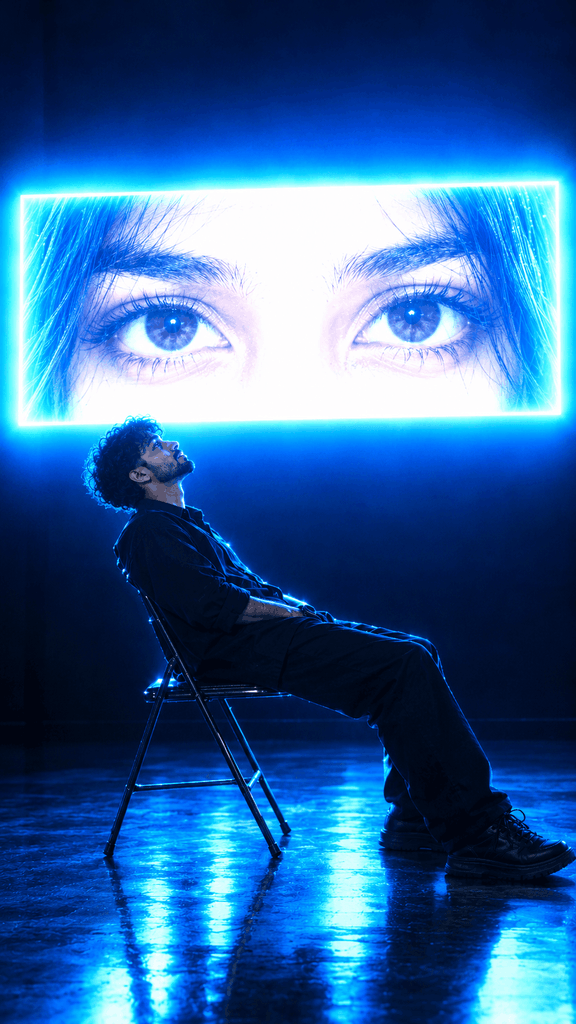
Create an ultra-realistic cinematic 9:16 portrait using Reference 1 for the boy’s exact facial identity and Reference 2 for the girl’s eyes. The boy wears an all-black outfit and reclines backward on a black metal folding chair, full body visible, gazing upward at a giant horizontal LED screen displaying ONLY the girl’s eyes and eyebrows.

**CRITICAL GLOW EFFECT:** Extremely intense electric-blue and cyan neon illumination. The screen has a brilliant almost-white center, a thick, blazing cyan-white border, and a powerful diffused blue halo spreading widely into the surrounding darkness. Strong blue light rays spill downward onto the boy, creating vivid cyan rim lighting around every curl of his hair, his face, shoulders, arms, clothing edges, chair, and shoes. Add luminous blue reflections across a highly glossy black floor. The glow must be dramatically brighter and more intense than ordinary neon lighting, with visible light bloom and high contrast against a nearly pitch-black navy background.

Composition: boy in the lower half, giant glowing eye screen across the upper-middle, generous empty dark space above the screen. Side profile, head tilted upward, realistic proportions, natural skin texture, detailed fabric, cinematic HDR, professional music-video photography, deep blacks and brilliant electric-blue highlights.

**ABSOLUTELY NO TEXT anywhere.** No letters, captions, logos, or watermark. No extra people, no extra limbs, no distorted hands, no additional screens. Preserve the boy’s identity and the girl’s recognizable eye features. Photorealistic, dramatic, premium cinematic quality.This prompt places more emphasis on “rim lighting,” meaning the boy’s hair, shoulders, and the edges of his clothing should be clearly visible. If you find Prompt 1’s image a bit dark, try this version.
Prompt 4: Simpler Version for Gemini
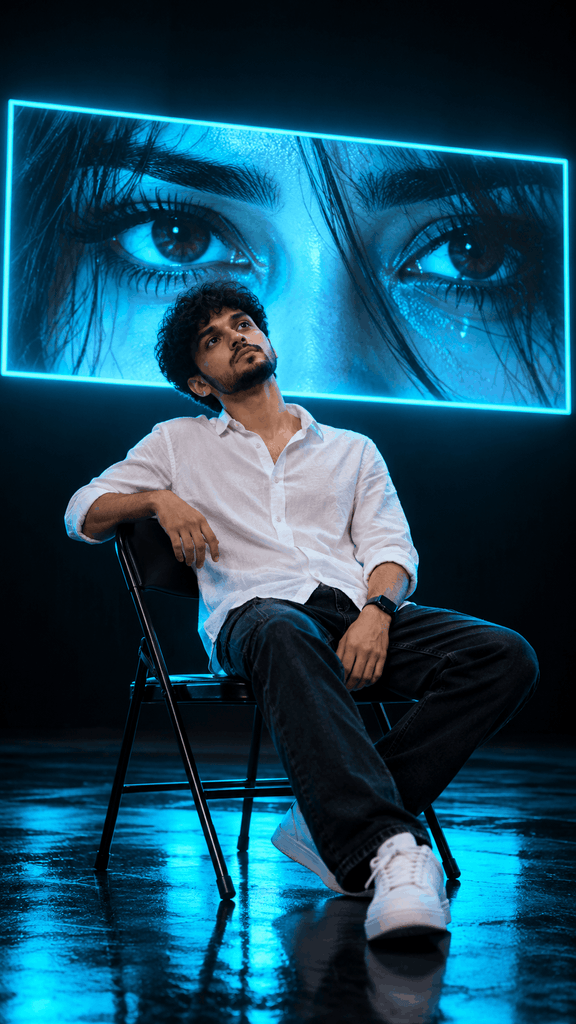
A young man with dark, curly hair seated on a dark metal folding chair in a pitch-black studio space, leaning back slightly and gazing upward. Behind him, a large horizontal glowing rectangular screen displays a close-up, high-detail shot of a woman’s brown eyes staring directly forward. Moody atmosphere illuminated primarily by intense cyan blue light, electric neon glowing screen edges, deep shadows, cinematic rim lighting, 8k resolution, photorealistic, dramatic composition, vertical 9:16 aspect ratioThis is the shortest prompt and doesn’t mention a reference photo, so it’s useful when you just want to see a sample scene without uploading your own. This often works well in Gemini because the scene is described directly.
Prompt 5: Upload One Photo Version
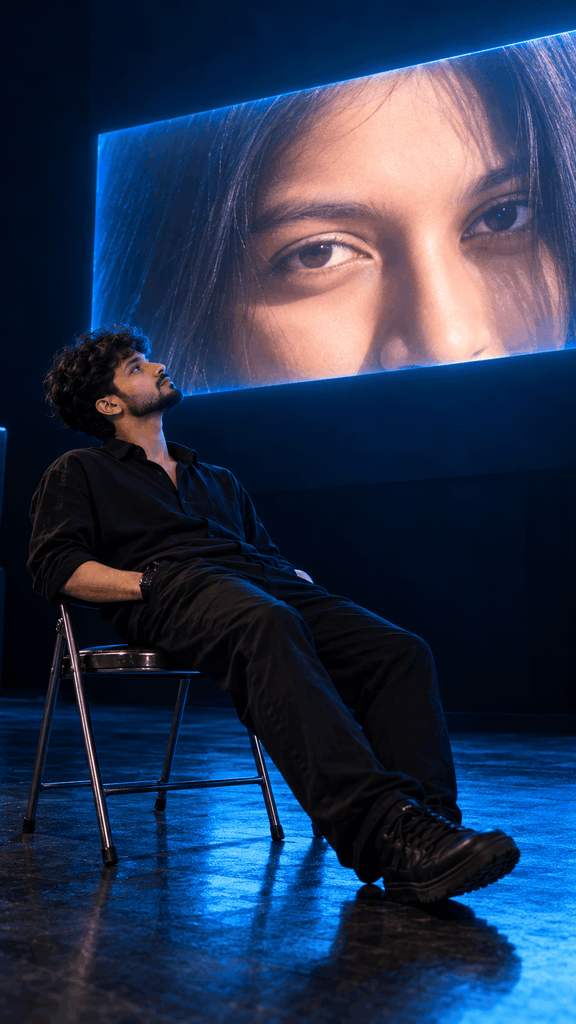
Create an ultra-realistic, cinematic, high-quality portrait of the boy in the uploaded reference photo. Preserve his exact facial identity, face shape, hairstyle, skin tone, and natural features.

The boy is sitting relaxed on a simple metal folding chair in a dark room, leaning backward slightly with his head tilted upward, looking toward a large, bright rectangular screen mounted on the wall. The screen displays a beautiful close-up of expressive female eyes, creating a mysterious and emotional atmosphere.

Lighting & Atmosphere: Deep midnight-blue background, intense electric-blue neon glow surrounding the screen, soft cyan rim lighting on the boy's hair, face, shoulders, and clothes. Dramatic shadows, subtle floor reflections, moody cinematic lighting, realistic light falloff, and a mysterious dark-aura vibe.

Outfit: All-black oversized shirt, black trousers, and black shoes. Natural sitting posture, realistic body proportions, detailed fabric textures.

Camera & Quality: Full-body composition, slightly low camera angle, vertical 9:16 framing, professional cinematic photography, photorealistic skin texture, sharp details, HDR, 4K quality, realistic shadows, deep contrast, premium movie-scene aesthetic.

Make the final image look like a real photograph, not AI-generated. No extra people, no distorted hands, no extra limbs, no text, no watermark. Keep the boy's identity exactly the same as the reference photo.This version allows you to upload just one photo of a boy. The AI will automatically create the girl’s eyes on the screen, so if you don’t have a photo of a girl, use this prompt.
The best part about this image is that only the eyes are visible on the screen. Usually, when we ask the AI to display a face on the screen, it creates the entire face—nose, mouth, chin, everything. But what’s needed here is a “macro photograph”-like crop, showing only the eyes and eyebrows. That’s why the prompt repeatedly repeats the line, “nose tip, nostrils, cheeks, mouth, chin MUST NOT appear.”
Also Read: 6 Best Black and White Cinematic Couple Photo Prompts for ChatGPT & Gemini
Normal neon lighting is often dim and subtle, but in this scene, the screen needs to be so bright that it appears as if a large light is being lit. That’s why words like “nearly overexposed icy-white center,” “powerful blue bloom,” and “blindingly bright” have been used. The blue light falling on the boy’s hair and shoulders gives this scene a film-like feel.
How to Use Neon Eyes Cinematic Prompts?
Step 1: Copy the Prompt
First, decide how many photos you have. If both have clear photos, choose Prompt 1, 2, or 3.
Step 2: Open Gemini and ChatGPT
Open the ChatGPT app or website or the Gemini app and website. Start a new chat.
Step 3: Add Your Photo
Upload the photo first, then paste the prompt. If there are two references, attach both to the same message and clearly indicate which photo is for which in the prompt.
Step 4: Generate the Image
Send the prompt. When the image appears, check the screen first.
Step 5: Download the Image
If you like the result, download it and you’ll see that your image has been created.
Final Words
We’ve covered the Best Close-Up Neon Eyes Cinematic Prompts here and provided you with several prompts. The extreme crop of the eyes and the strong neon glow are the key. Always ask permission before using someone else’s photo.
Choose a clear, high-quality reference photo, as the results may vary slightly each time, so keep trying again with small changes.
FAQs
Will the face remain the same as the reference photo?
Yes, but the AI sometimes makes changes.
Can I create it from just one photo?
Yes, if you enter your image, the AI will automatically add details like the girl’s eyes.
Can I change the neon color?
Yes. Replace “cyan” or “electric-cyan” with “purple,” “pink,” or “red” in the prompt. Keep the rest of the lines the same.