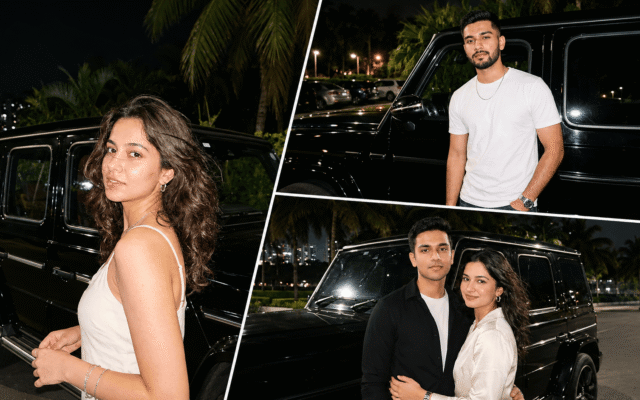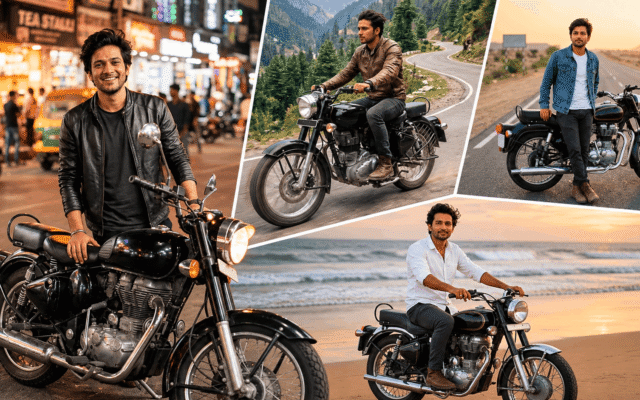

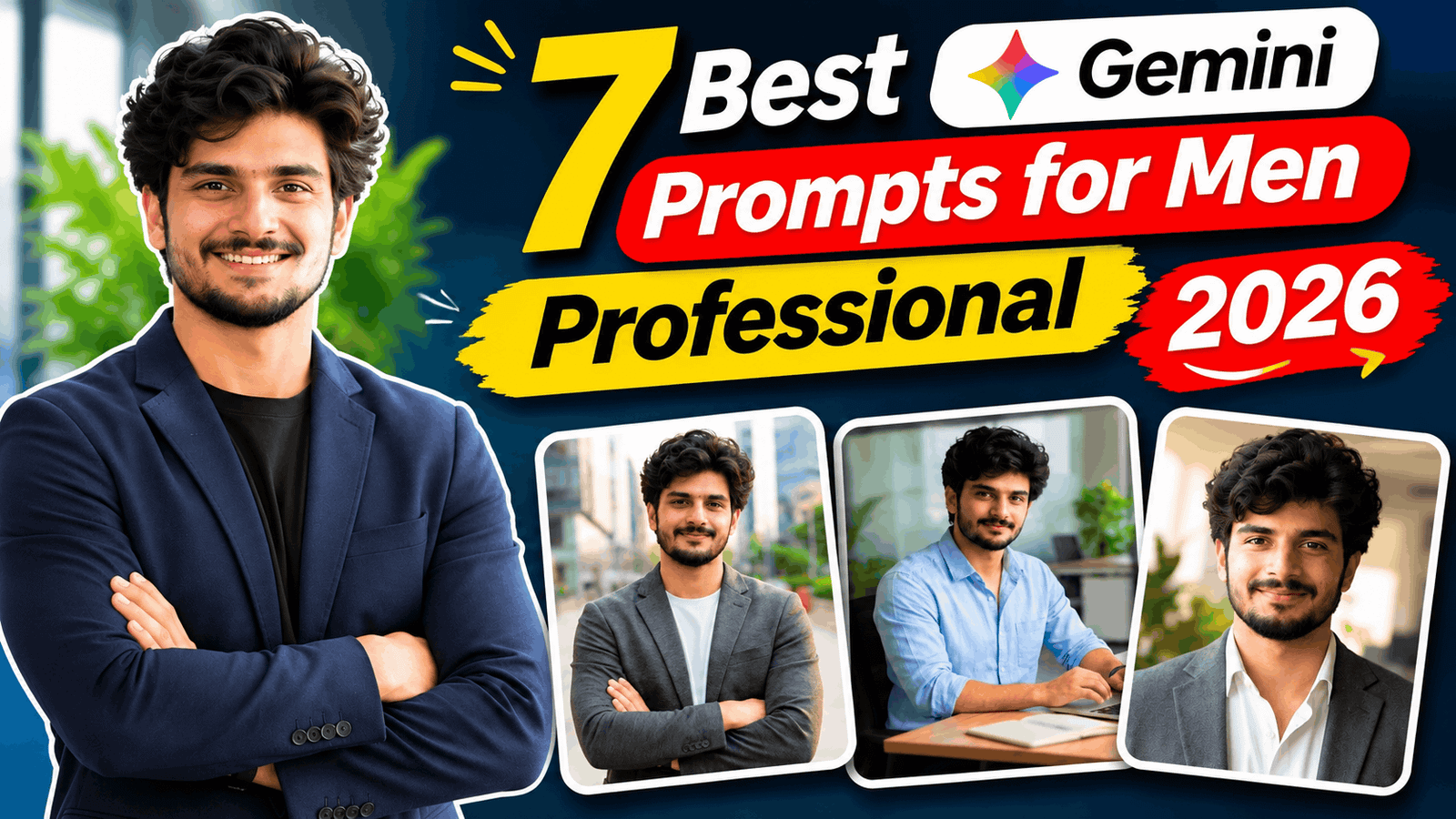
Best Gemini Prompts for Men: These 7 prompts turn your own photo into a professional men’s photo in Gemini, with studio headshots, LinkedIn photos, office portraits and business looks, while keeping your face the same.
Hello, my name is Sushil. I test these prompts myself before publishing them. Every prompt below works with Gemini only, and every prompt starts from your uploaded photo, so the result looks like you, not like a random model. Pick the prompt that matches the photo you need, copy it, and generate.
Gemini Prompts for Men Professional
Photos: Corporate headshot, LinkedIn profile, office desk, business outdoor, formal suit, startup founder, black and white classic
Outfits: Navy suit, grey blazer, white shirt, tie, three-piece suit, smart casual blazer
Backgrounds: Grey studio, office blur, modern office, city buildings, plain studio
Lens & Light: 85mm f/1.4 for headshots, 50mm for office and outdoor shots, studio 5500K, soft window light
Quick Workflow
Step 1: Copy the Prompt: Pick the prompt that matches the photo you need and copy the full text.
Step 2: Upload Your Photo to Gemini: Open Gemini and upload the photo you want to edit.
Step 3: Paste the Identity Line First: Paste this line before the prompt, so Gemini keeps your face the same.
Step 4: Paste the Prompt and Generate: Paste the prompt after the identity line and generate.
Step 5: Regenerate If Needed: If the first result is wrong, change one line and try again.
Which Professional Photo Do You Need?
- Headshot for office or resume: Prompt 1 (corporate studio headshot).
- LinkedIn profile photo: Prompt 2 (LinkedIn profile).
- Office photo with desk: Prompt 3 (office desk).
- Business photo outdoors: Prompt 4 (business casual outdoor).
- Full formal suit photo: Prompt 5 (formal suit).
- Founder or startup photo: Prompt 6 (startup founder).
- Classic black and white photo: Prompt 7 (black and white classic).
Prompt 1: Corporate Studio Headshot
A clean corporate headshot. You in a navy suit, grey studio background, soft studio light. Best for a resume, office ID and company profile.
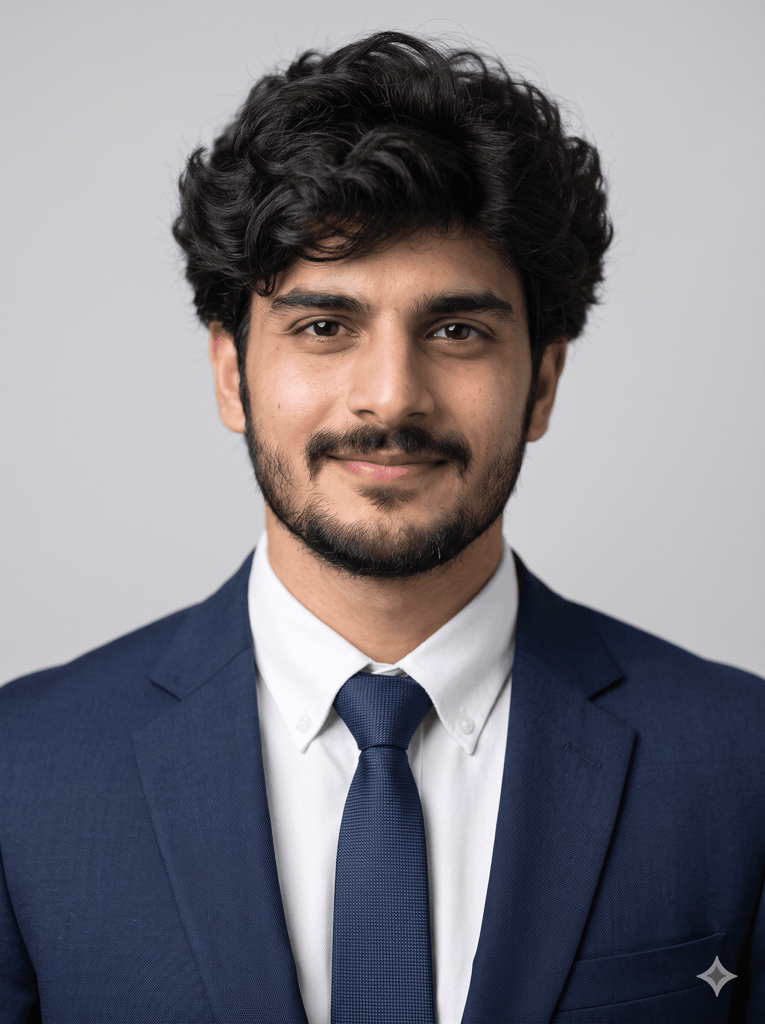
Using my uploaded photo, create an ultra-photorealistic vertical 3:4 corporate headshot of me, shot on an 85mm f/1.4 lens. Keep my face exactly as in my uploaded photo: same face, same smile, same skin tone. Do not beautify or change it. I am wearing a navy blue suit with a white shirt and a dark blue tie, against a plain light grey studio background. The frame is tight on my face and shoulders. My expression is calm, confident and professional, with a slight smile, looking straight at the camera. The light is soft studio light, around 5500K, even on my face with gentle shadows. Sharp focus on my eyes and face, natural skin texture with visible pores, realistic suit fabric and studio light. No text, no watermark, no cartoon look, no plastic skin, no extra fingers.Check: The suit must stay navy and the tie must stay dark blue. If the tie disappears, regenerate with the tie line first.
Use It For: Resume, office ID card, company website and email signature.
Prompt 2: LinkedIn Profile Photo
A smart LinkedIn photo. You in a grey blazer, office blur behind you, warm light. Best for LinkedIn and job profiles.
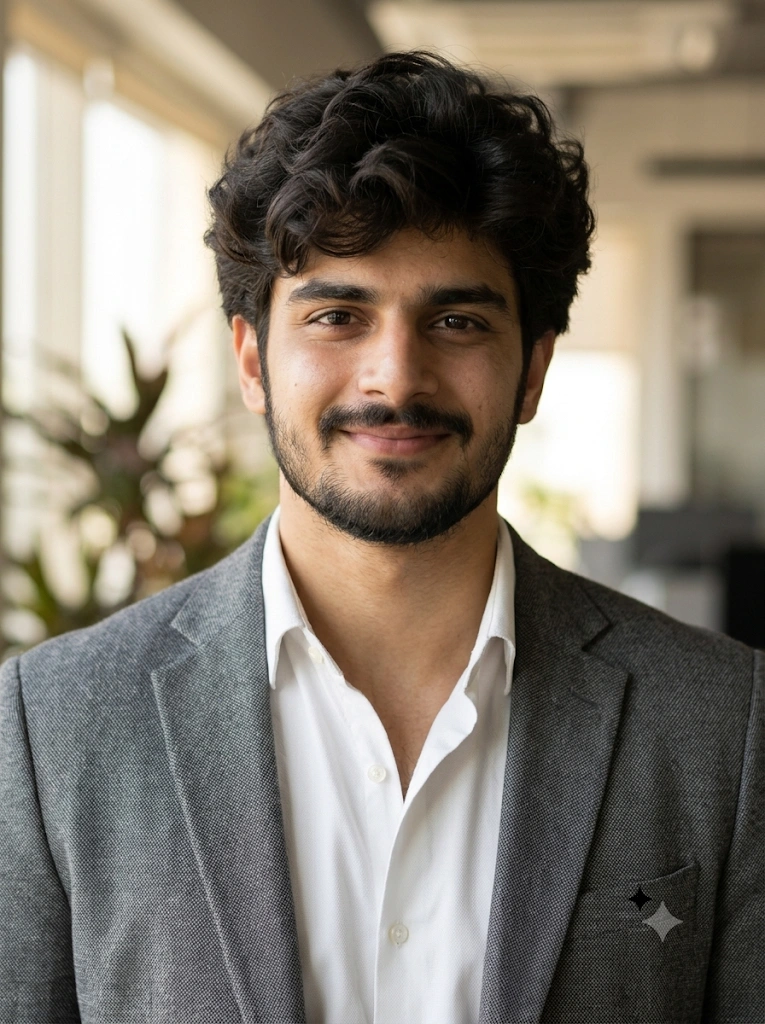
Using my uploaded photo, create an ultra-photorealistic vertical 3:4 LinkedIn profile photo of me, shot on an 85mm f/1.4 lens. Keep my face exactly as in my uploaded photo: same face, same smile, same skin tone. Do not beautify or change it. I am wearing a grey blazer over a white shirt with no tie, against a softly blurred modern office background with warm window light and a few plants. The frame is tight on my face and shoulders. My expression is friendly and professional, with a warm smile, looking straight at the camera. The light is soft natural window light, warm and even on my face. Sharp focus on my eyes and face, natural skin texture with visible pores, realistic blazer fabric and soft office light. No text, no watermark, no cartoon look, no plastic skin, no extra fingers.Check: The background must stay blurred and the face must stay sharp. If the background is sharp, ask for more blur.
Use It For: LinkedIn, job portals, freelance profiles and business cards.
Prompt 3: Office Desk Portrait
A working office photo. You at a desk with a laptop, modern office behind you. Best for a work profile and a team page.
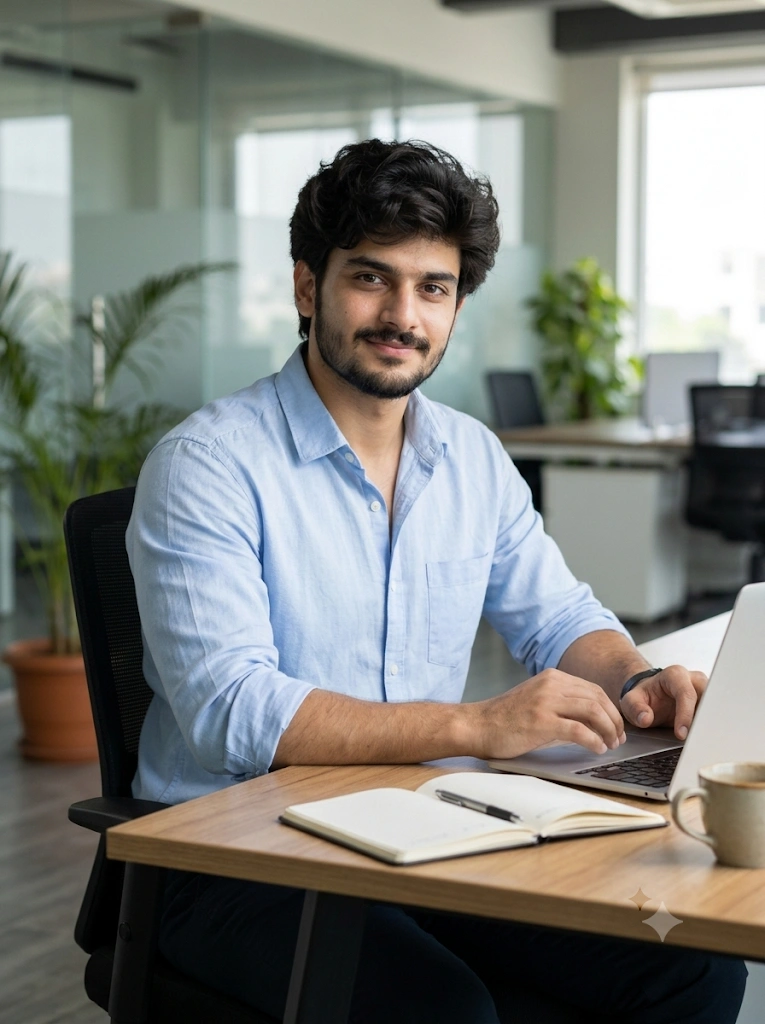
Using my uploaded photo, create an ultra-photorealistic vertical 3:4 portrait of me working at an office desk, shot on a 50mm lens. Keep my face exactly as in my uploaded photo: same face, same smile, same skin tone. Do not beautify or change it. I am wearing a light blue shirt with rolled sleeves and dark trousers, sitting at a clean wooden desk with a silver laptop, a notebook and a coffee cup. A modern office with glass walls, plants and soft daylight is blurred behind me. My expression is focused and confident, with a slight smile, looking at the camera. The light is soft office daylight, bright and clean, with gentle shadows. Sharp focus on my face, natural skin texture, realistic office detail and soft daylight. No text, no watermark, no cartoon look, no plastic skin, no extra fingers.Check: The laptop screen must stay blank, with no random text on it. If text appears on the screen, ask for a blank screen.
Use It For: Team page, company profile, work portfolio and office website.
Prompt 4: Business Casual Outdoor
A smart outdoor business photo. You in a blazer, city buildings behind you, golden hour light. Best for a business profile and a personal brand post.
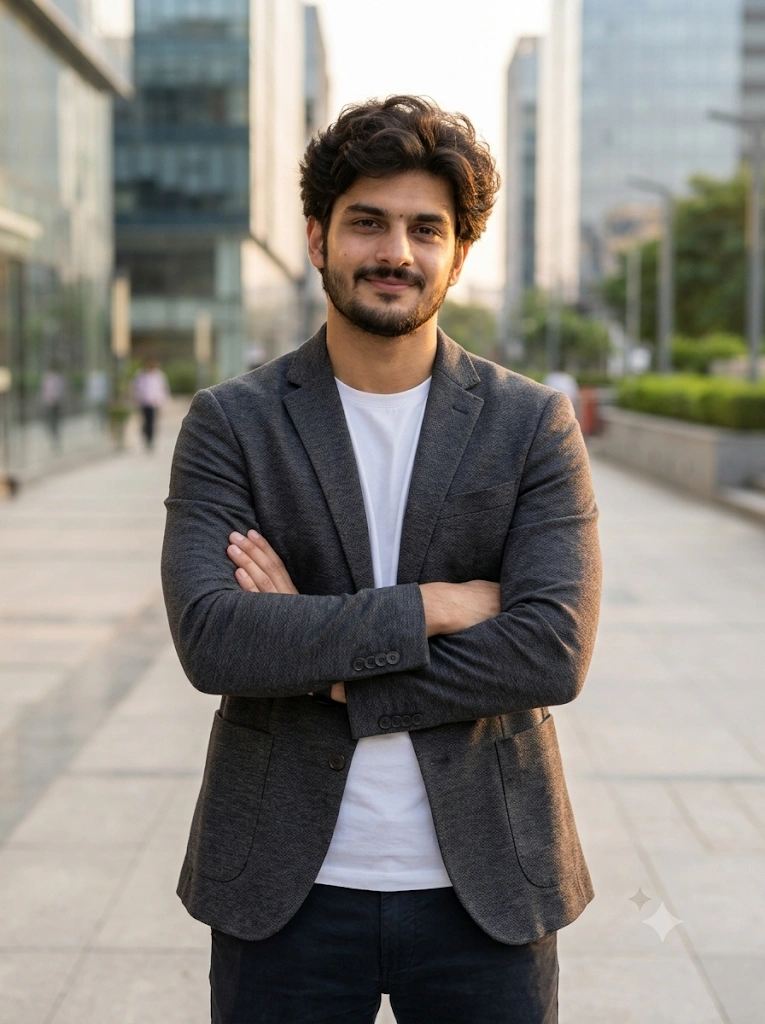
Using my uploaded photo, create an ultra-photorealistic vertical 3:4 business portrait of me outdoors in a city, shot on a 50mm lens. Keep my face exactly as in my uploaded photo: same face, same smile, same skin tone. Do not beautify or change it. I am wearing a charcoal grey blazer over a white t-shirt and dark chinos, standing on a clean city pavement with blurred glass buildings and warm golden hour light behind me. My pose is relaxed and confident, arms crossed, looking at the camera. The light is warm golden hour, around 3200K, glowing on my face with soft shadows. Sharp focus on my face, natural skin texture with visible pores, realistic city blur and warm light. No text, no watermark, no cartoon look, no plastic skin, no extra fingers.Check: The buildings must stay blurred and no shop board text should be readable. If a board shows text, ask for plain glass buildings.
Use It For: Personal brand, business website, speaker profile and social media.
Prompt 5: Formal Suit Full Portrait
A full formal photo. You in a three-piece suit, studio background, sharp and clean. Best for a formal profile and a wedding or event card.
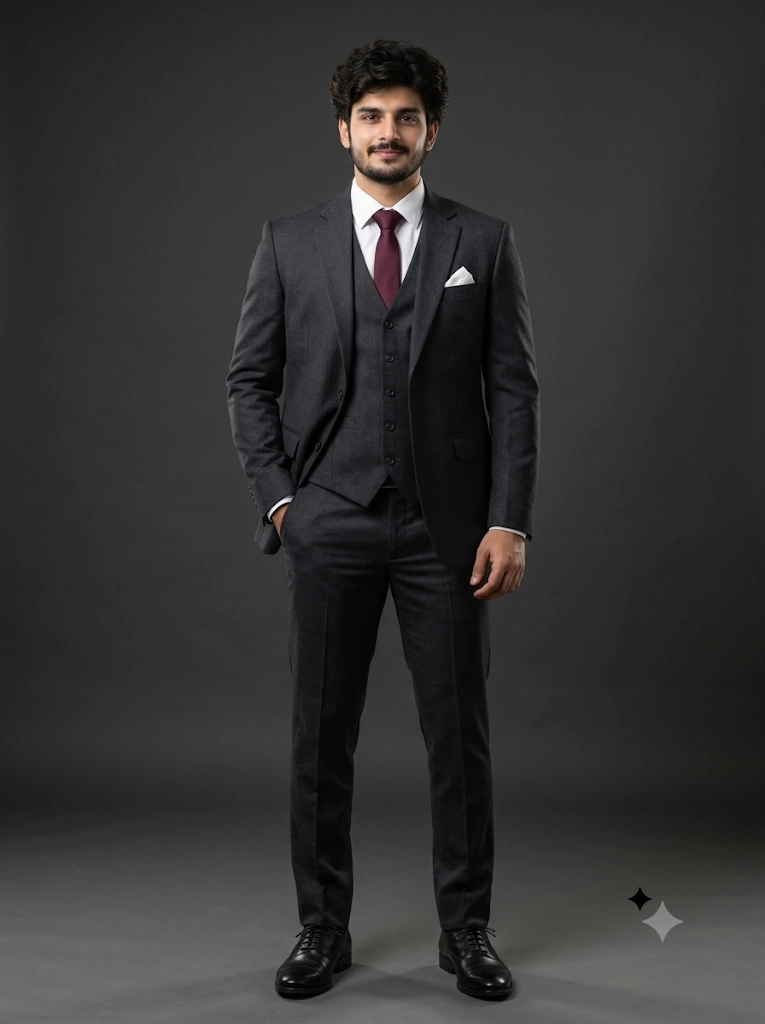
Using my uploaded photo, create an ultra-photorealistic vertical 3:4 full portrait of me in a formal three-piece suit, shot on an 85mm f/1.4 lens. Keep my face exactly as in my uploaded photo: same face, same smile, same skin tone. Do not beautify or change it. I am wearing a charcoal three-piece suit with a white shirt, a burgundy tie and a white pocket square, black leather shoes, standing against a plain dark grey studio background. The frame shows my full body from head to shoes. My expression is calm and confident, with a slight smile, one hand in my pocket, looking straight at the camera. The light is soft studio light, around 5500K, even on my suit with gentle shadows. Sharp focus on my face, natural skin texture, realistic suit fabric and studio light. No text, no watermark, no cartoon look, no plastic skin, no extra fingers.Check: The suit must fit well and the tie must stay burgundy. If the suit looks loose, ask for a fitted suit.
Use It For: Formal profile, event card, matrimonial profile and business directory.
Also Read: 10 Stunning Diwali AI Photo Editing Prompts for Gemini 2026
Prompt 6: Startup Founder Portrait
A modern founder photo. You in a smart casual blazer, startup office with laptop and plants. Best for a founder profile and a startup website.
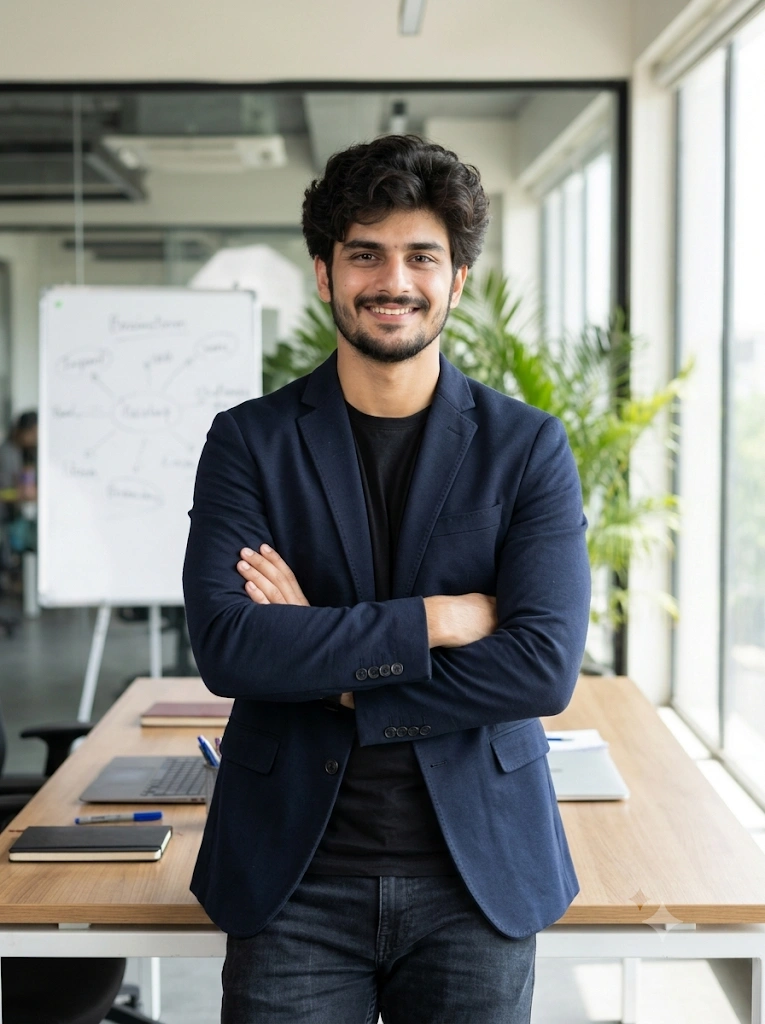
Using my uploaded photo, create an ultra-photorealistic vertical 3:4 portrait of me as a startup founder in a modern office, shot on a 50mm lens. Keep my face exactly as in my uploaded photo: same face, same smile, same skin tone. Do not beautify or change it. I am wearing a navy blazer over a black t-shirt and dark jeans, standing in a bright modern office with a laptop on a desk, green plants and a whiteboard blurred behind me. My expression is energetic and confident, with a warm smile, arms crossed, looking at the camera. The light is bright natural daylight from large office windows, clean and even on my face. Sharp focus on my face, natural skin texture with visible pores, realistic office detail and bright daylight. No text, no watermark, no cartoon look, no plastic skin, no extra fingers.Check: The whiteboard must stay blank, with no random writing on it. If writing appears, ask for a blank whiteboard.
Use It For: Startup website, founder profile, pitch deck and investor page.
Prompt 7: Professional Black and White Portrait
A timeless black and white photo. You in a suit, grey studio background, dramatic light. Best for a classic profile and a formal DP.
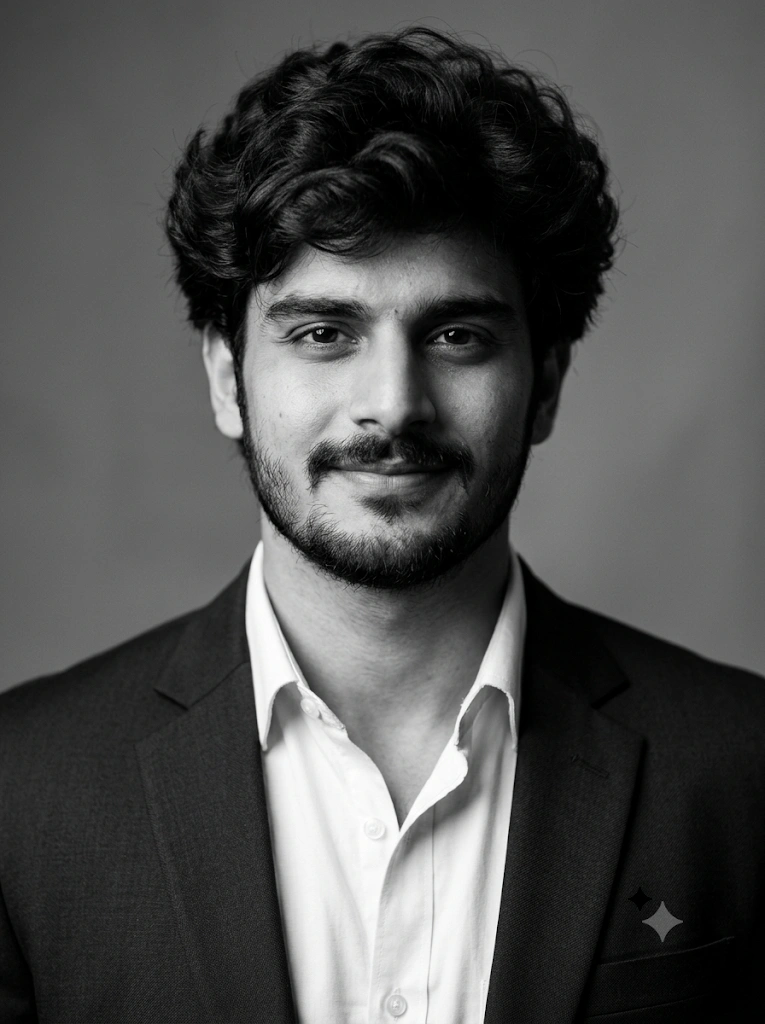
Using my uploaded photo, create an ultra-photorealistic vertical 3:4 black and white professional portrait of me, shot on an 85mm f/1.4 lens. Keep my face exactly as in my uploaded photo: same face, same smile, same skin tone. Do not beautify or change it. I am wearing a dark suit with a white shirt and no tie, against a plain grey studio background with soft dramatic side light. The photo is fully black and white, with deep blacks, bright whites and rich grey tones. My expression is calm and confident, with a slight smile, looking straight at the camera. Sharp focus on my eyes and face, natural skin texture with visible pores, realistic suit fabric and dramatic studio light. No text, no watermark, no cartoon look, no plastic skin, no extra fingers.Check: The photo must be fully black and white, with no colour left. If any colour shows, ask for pure black and white.
Use It For: Classic profile photo, formal DP, portfolio and print profile.
Create in Gemini
How to Use This Prompt?
Step 1 Copy the Prompt: Pick the prompt that matches the photo you need and copy the full text.
Step 2 Open Gemini: Open the Gemini app or website and start a new chat.
Step 3 Add Your Photo: Upload the photo you want to edit. Use a clear front photo with good light.
Step 4 Generate the Image: Paste the identity line first, then the prompt, and generate.
Step 5 Wait for the Result: Gemini takes a few seconds. Download the result you like best.
If the first result is wrong, change only one thing at a time. Change the outfit line, or the light line, or the background line. Never change all three together. One change per try tells you what fixed it.
Which Photo Should You Upload?
Use a clear photo taken in daylight, with your face looking at the camera. Avoid group photos, sunglasses, heavy filters and blurry selfies. A simple front photo gives the best result, because Gemini has a clear face to keep. For a full-body prompt like the formal suit, upload a photo where your full body is visible.
Professional Photo Guide: Background, Suit and Light
- Background: A professional photo needs a plain background. Grey studio or blurred office works best. A busy background makes the photo look like a casual snap, not a professional photo.
- Suit Fit: Write the suit fit in the prompt: “fitted”, “three-piece”, “navy” or “charcoal”. A short line like “suit” gives a random suit, but a full line gives the suit you want.
- Light: Studio light around 5500K is the standard for headshots: even, clean and true to skin tone. Golden hour suits outdoor business photos, but not a headshot, where the light must be even on both sides of the face.
- Expression: A professional photo needs a calm smile, not a big laugh and not a serious face. Write “calm and confident, with a slight smile” in the prompt, or the result will look stiff or too casual.
Also Read: 7 Stunning Bhai Dooj AI Photo Editing Prompts for Gemini 2026
Problems and Their Solutions
1. The face changes in the result.
Keep my exact face from the uploaded photo. Do not beautify, slim or change my face, smile or skin tone.2. The skin looks plastic or too smooth.
Keep natural skin texture with visible pores. No smoothing, no plastic skin, no airbrushed look.3. The background is too sharp or too busy.
Blur the background softly and keep only one or two objects behind me. No extra people, no text boards, no writing on the whiteboard.4. The suit colour comes out wrong.
Keep the suit exactly as written: same colour, same fabric, same fit. Do not change the colour.5. Text appears on the laptop, board or shop sign.
Keep all screens, boards and signs blank. No text, no letters, no numbers anywhere in the photo.Best Gemini Prompts for Men Professional Details
| Detail | Information |
|---|---|
| Topic | Professional Gemini prompts for men |
| Tool | Gemini |
| Prompts in this post | 7 |
| Photo type | Your own uploaded photo |
| Image size | Vertical 3:4 |
| Best for | LinkedIn, resume, office profile, company website |
| Face | Kept same as your photo |
| Light | Studio 5500K, soft window light, golden hour 3200K |
| Lens | 85mm f/1.4 headshots, 50mm office and outdoor |
| Price | Depends on your Gemini plan, not confirmed here |
Final Words
A professional photo is not about a costly studio. It is about a clean background, a fitted suit and even light. Pick the prompt that matches the photo you need, generate it today, and use it where it matters: LinkedIn, resume and office profile.
FAQs
Which is the best Gemini prompt for men professional?
The corporate studio headshot, Prompt 1, is the safest first try. It has one person, one plain background and even light, so Gemini has the least to get wrong.
Can I use these prompts for a LinkedIn photo?
Yes. Prompt 2 is made for LinkedIn, and Prompt 1 also works well as a LinkedIn photo. Both keep your face the same and use a tight frame.
Will Gemini keep my exact face?
Gemini keeps your face close to your uploaded photo when you paste the identity line first. The result can still vary a little with your photo and the tool, so check the face before you share it.
What photo should I upload for a professional prompt?
A clear front photo in daylight, with your face looking at the camera. Avoid sunglasses, group photos and heavy filters. For a full-body prompt like the formal suit, your full body should be visible.
Can I use these prompts for a stylish photo?
These 7 prompts are for professional photos. For stylish and casual photos, use the Gemini prompts for men post, where the prompts are made for street, bike, gym and travel looks.