
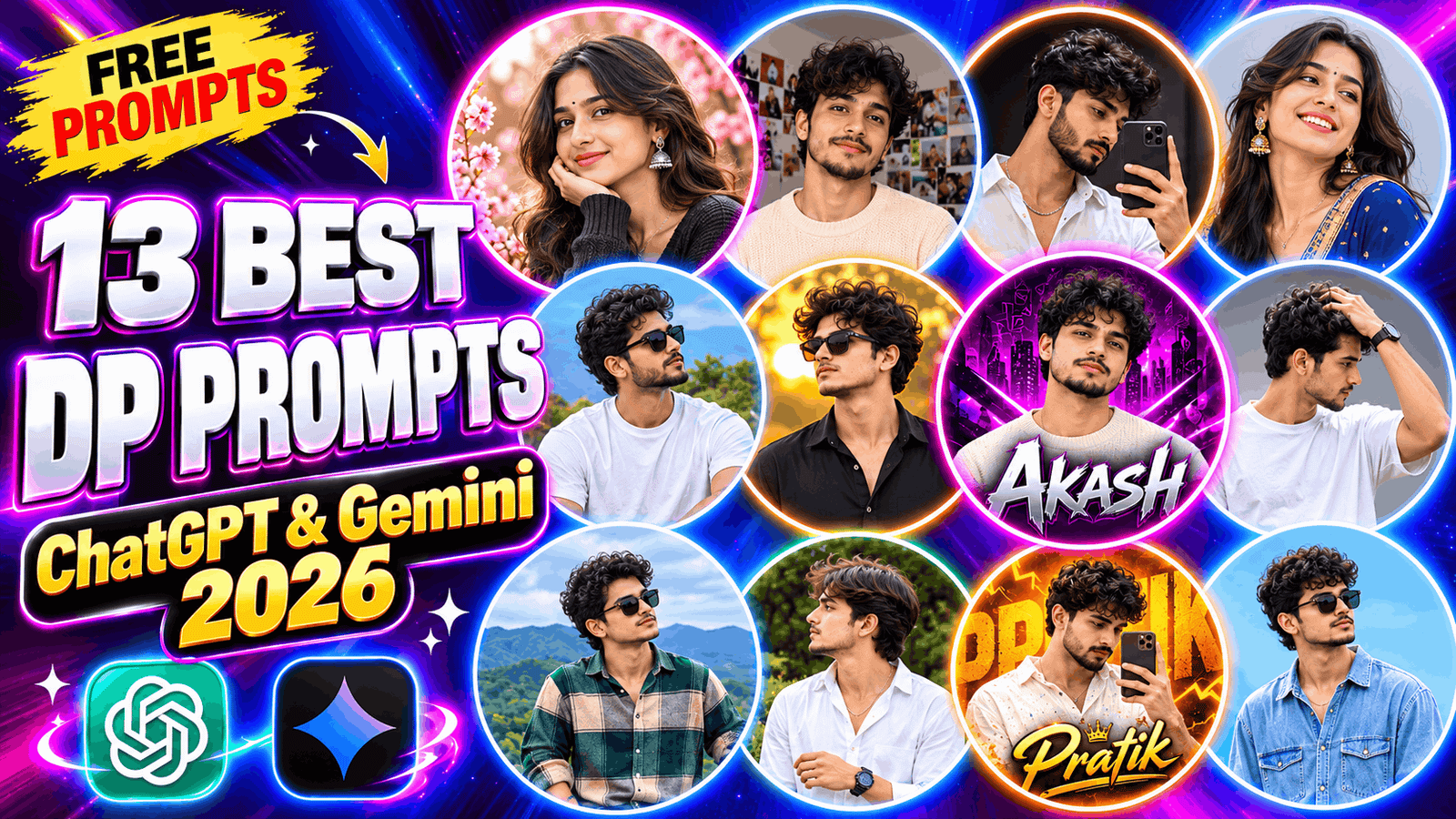
Best DP Prompt ChatGPT & Gemini: Hello, my name is Sushil. In this article, you’ll find 13 ready-made DP prompts that work with both ChatGPT and Gemini. Here, you’ll find different designs for both boys and girls, allowing you to turn your photo into a beautiful circular DP.
The first four prompts are named, in pastel, neon, orange-gold, and anime-streetwear styles. The remaining nine are clean, minimalist portraits, suitable for both boys and girls. Each prompt creates a 1:1 circular profile picture, keeping your face intact, and fitting seamlessly into the round frames of WhatsApp and Instagram.
How does DP Prompt ChatGPT work?
All of these prompts have a similar structure: the beginning states “Use the uploaded photo and don’t change your face at all.” This is followed by the pose, clothing, background, and lighting. Finally, there’s the circular crop and 1:1 ratio.
This is why the face remains clear even when the DP appears small. Name prompts place the text in the background or below the face, rather than on the face itself, so the name doesn’t obscure the face. Clear prompts have no text or graphics, making them more suitable for everyday profiles.
Also Read: Best Close up Neon Eyes Cinematic Prompts For Gemini and ChatGPT
Best DP Prompt ChatGPT Details
| Detail | Information |
|---|---|
| Prompt Name | Stylish Name DP + Clean Circular DP Collection |
| Category | Profile Picture / WhatsApp Instagram DP |
| Style | Pastel, Neon, Cinematic, Minimal, Anime-Streetwear |
| Lighting | Soft studio, golden hour, neon rim, cinematic |
| Camera Look | Sharp face, high detail, circular 1:1 crop |
| Aspect Ratio | 1:1 |
| Text on Image | Optional [NAME] in Prompt 1-4 |
| Works On | ChatGPT, Gemini |
| Input Photo Needed | Yes, a clear face photo |
| Difficulty Level | Easy |
| Common Problem | Face change or text cut-off |
All these styles have different prompt styles, but the style of the photo remains the same. The background in the Pastel and Studio styles is intentionally plain so that your DP can be clearly seen when cropped to a round. Otherwise, we could have kept the photo any size, but chose round to ensure it looks perfect. The background in the Neon and Anime styles is heavy, so the most important thing is to ensure that the face doesn’t get lost in the background.
All Prompts
This article doesn’t claim to be a test or personal experience. Try the prompts yourself and verify the results.
DP 1
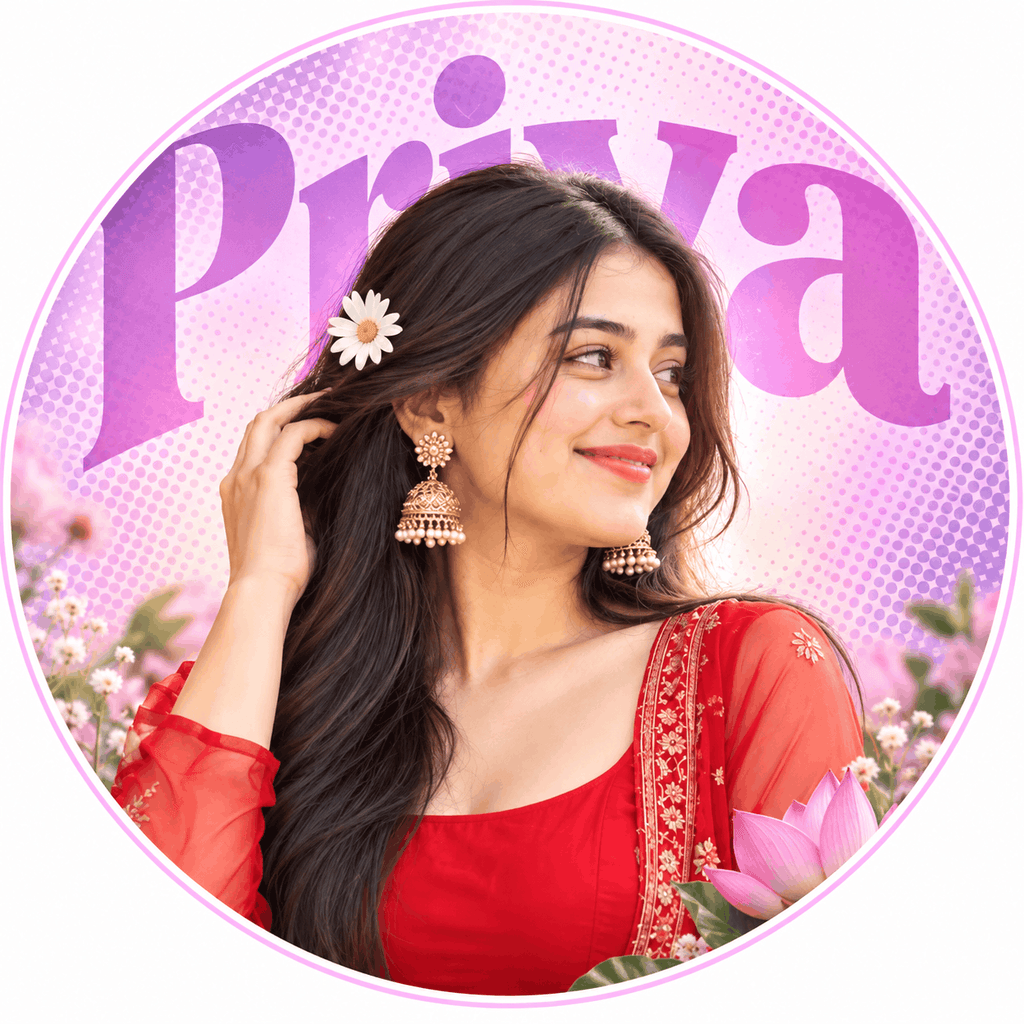
Using the uploaded photo, create a circular profile picture (DP), 1:1 ratio. Keep the face exactly the same as the photo, do not change facial features. Subject is smiling happily, looking slightly to the side, with a small white daisy flower tucked in the hair. Background: soft lavender-pink halftone dot pattern with a large faded bold typography word "[NAME]" behind the head in light purple. Add a small pink lotus/flower bud at the bottom corner. Soft pastel color grading, bright clean skin tones, dreamy aesthetic, subtle glow, high detail, sharp edges, circular crop.DP 2
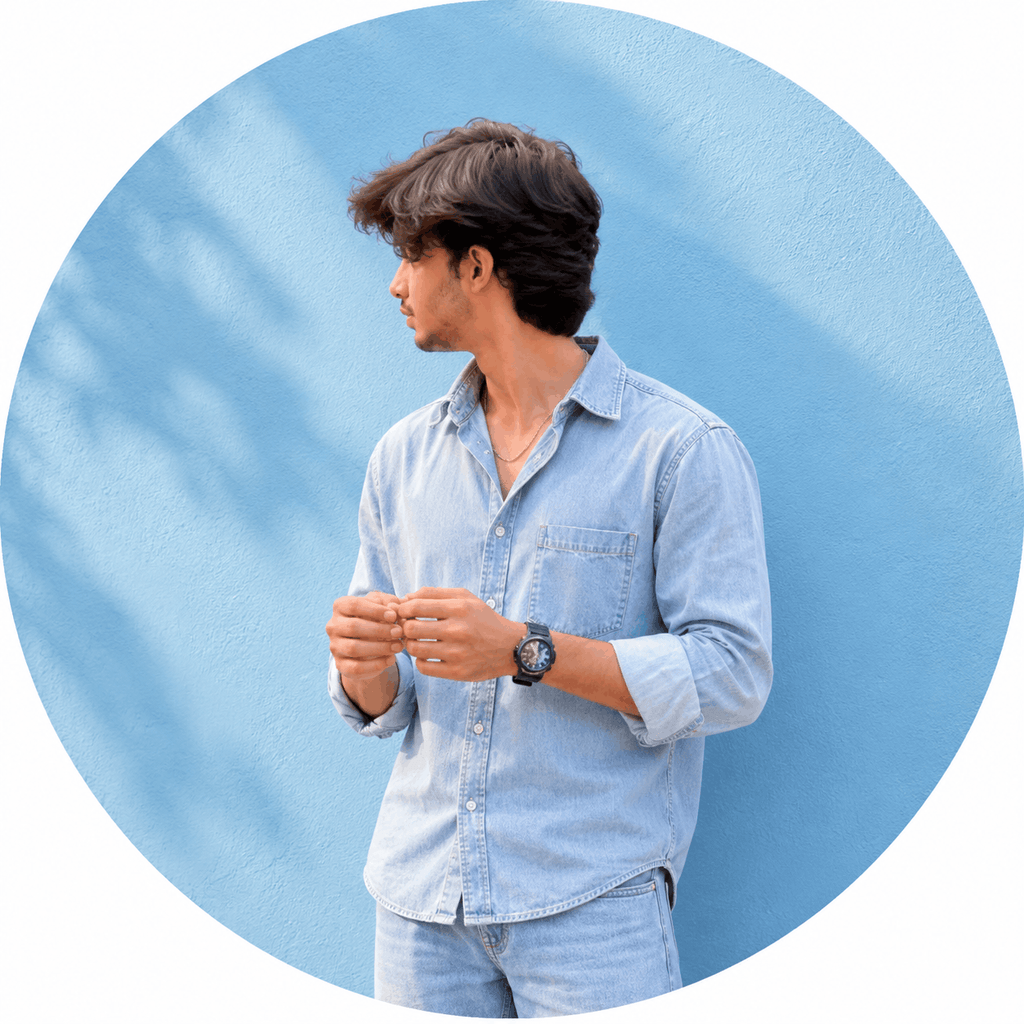
Using the uploaded photo, create a circular profile picture (DP), 1:1 ratio. Keep the face exactly the same. Subject wearing a light denim shirt, soft natural smile. Background: plain pastel sky-blue wall with soft shadow. No text, no graphics. Bright, fresh, clean aesthetic, soft daylight, circular crop.DP 3
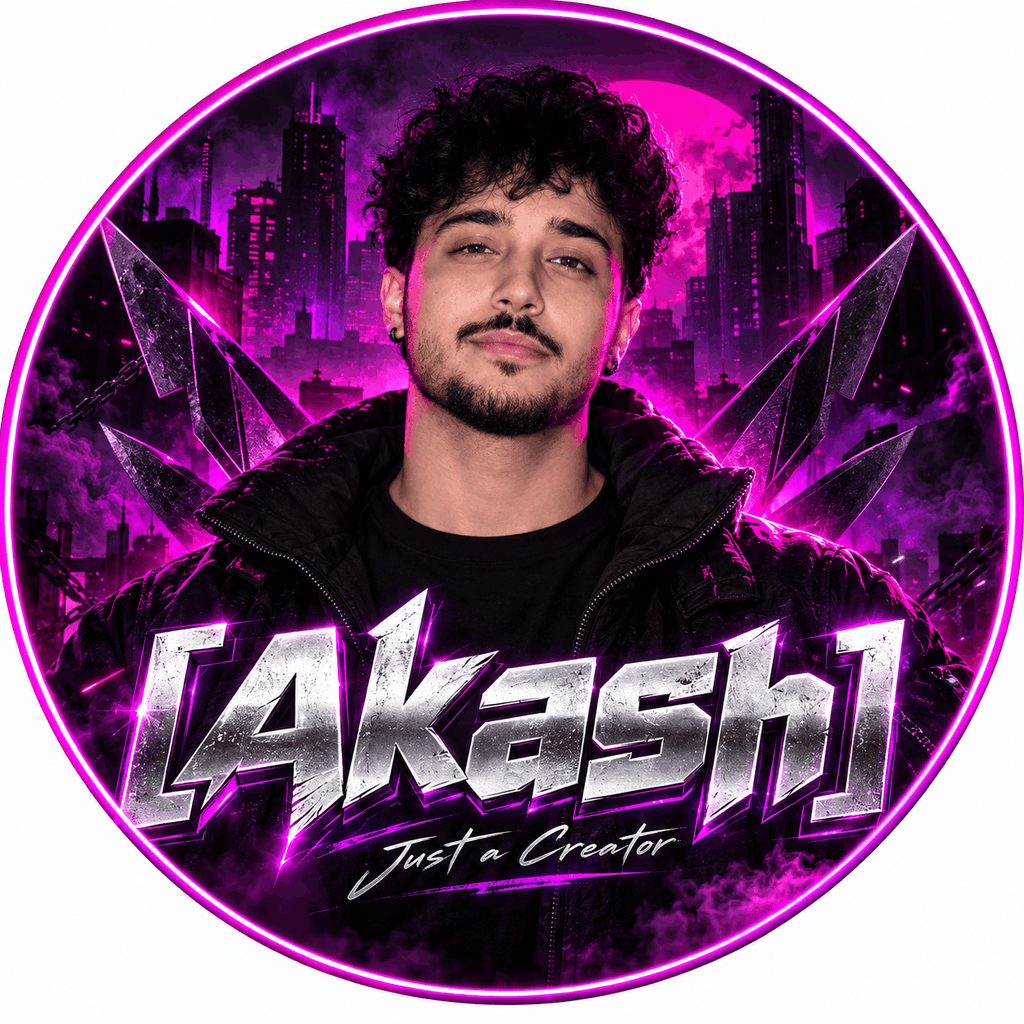
Using the uploaded photo, create a circular profile picture (DP), 1:1 ratio. Keep the face exactly the same as the photo. Subject looks serious and intense, dark moody expression, dark jacket. Background: dark purple and hot magenta neon gradient with glowing city skyline silhouettes and sharp diagonal geometric light-streak shapes behind the shoulders. Big bold 3D metallic white-silver text "[NAME]" across the chest with purple neon outline and glow, small italic text below it. Cinematic lighting, rim light in magenta, high contrast, gaming/YouTube DP style, ultra sharp, circular crop.DP 4
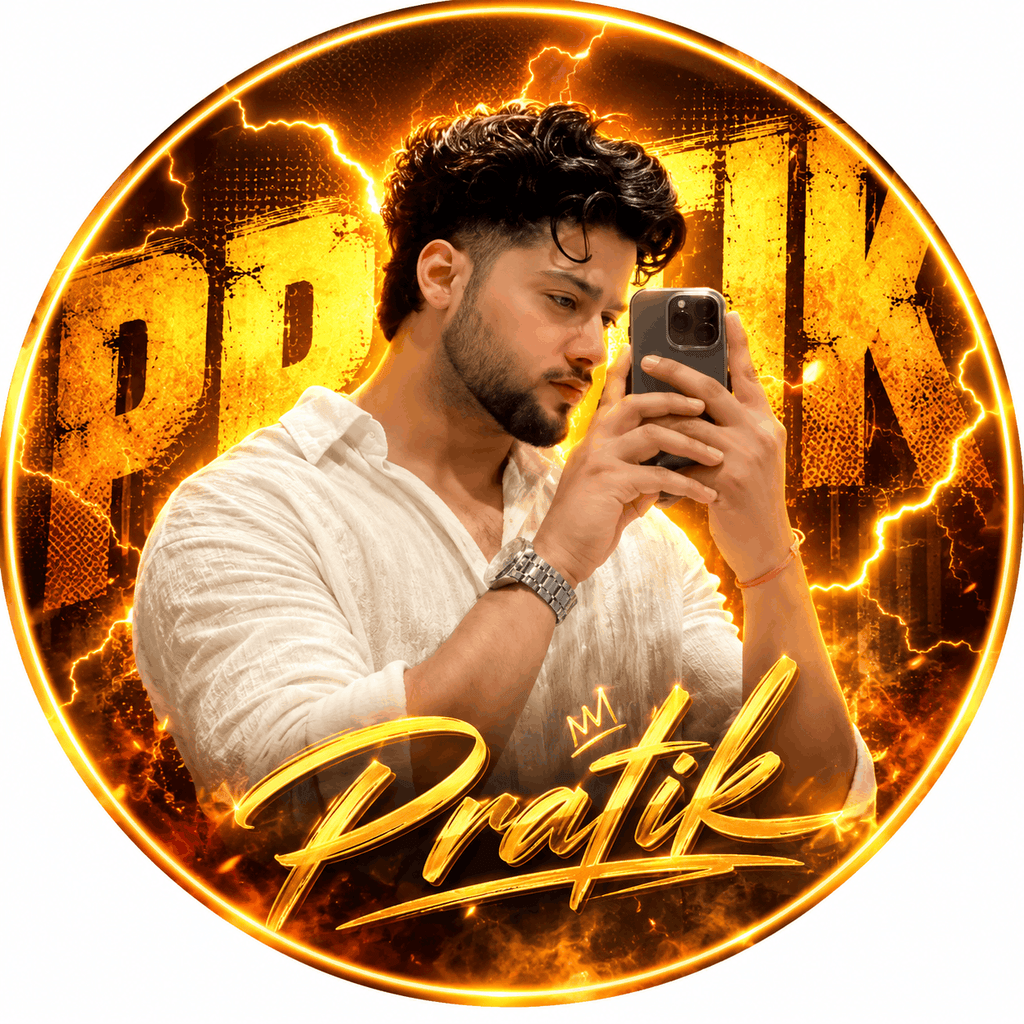
Using the uploaded photo, create a circular profile picture (DP), 1:1 ratio. Keep the face exactly the same as the photo. Subject holding a smartphone in front of the face like a mirror selfie, wearing a loose off-white shirt, stylish pose. Background: fiery orange-yellow gradient with giant bold yellow letters behind the subject, halftone dot texture, electric lightning bolts glowing around. Stylish golden cursive signature text "NAME" at the bottom with glossy gold effect and shadow. Warm cinematic tone, high contrast, poster-style edit, sharp detail, circular crop.DP 5
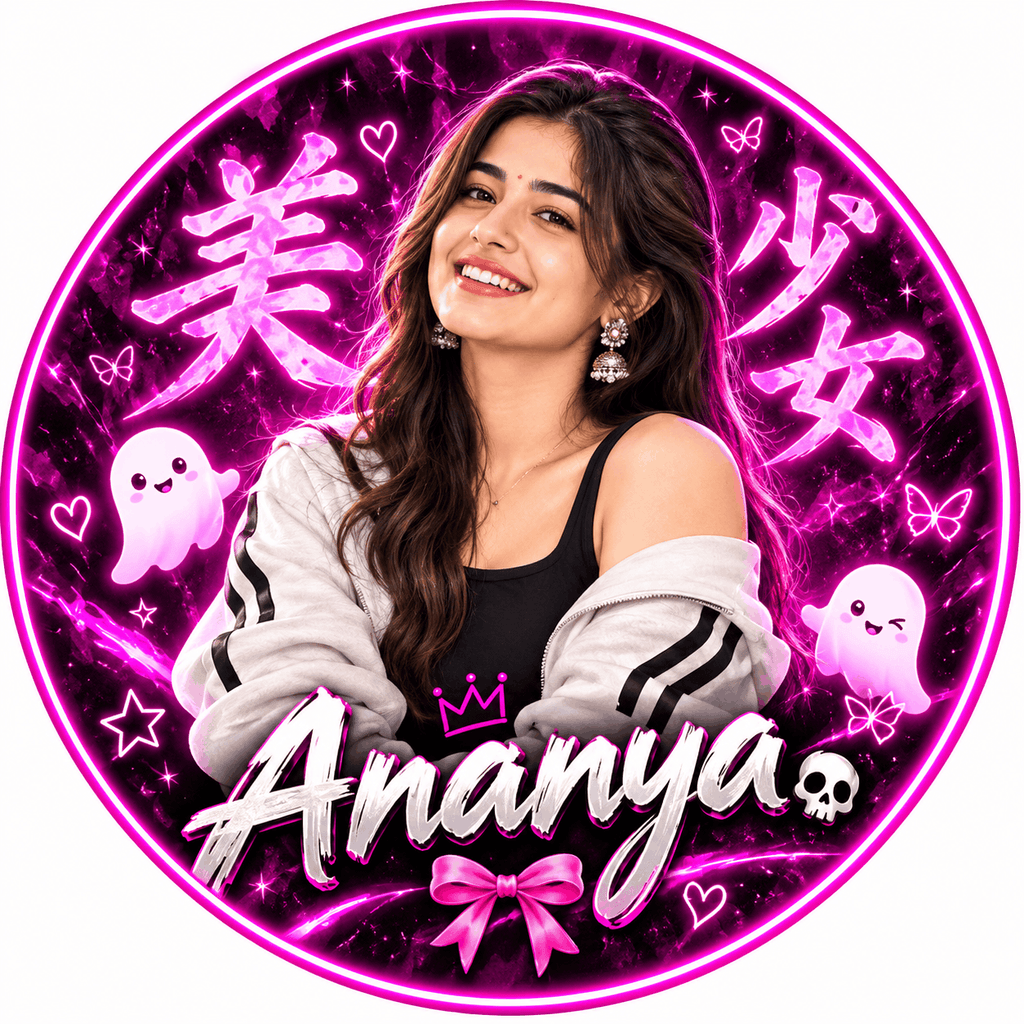
Using the uploaded photo, create a circular profile picture (DP), 1:1 ratio. Keep the face exactly the same as the photo. Subject wearing a white zip jacket over a black crop top, confident stylish pose. Background: vivid purple and magenta gradient with glowing Japanese kanji characters and neon pink streaks. Large decorative graffiti-style white text "NAME" in the lower part with a pink ribbon bow and a small skull icon beside it. Floating cute ghosts, sparkles and stars around, y2k aesthetic, glossy neon glow, high saturation, sharp details, circular crop.DP 6
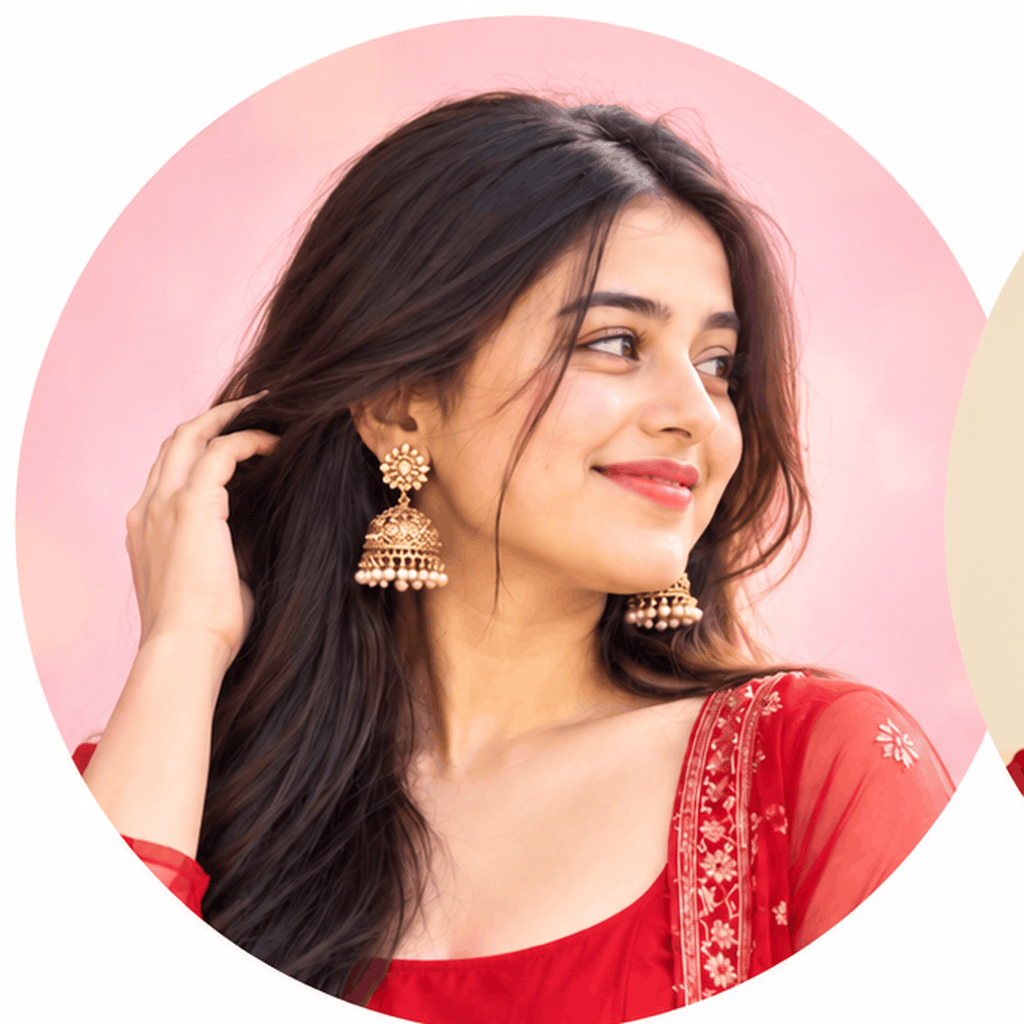
Using the uploaded photo, create a clean circular profile picture (DP), 1:1 ratio. Keep the face exactly the same, do not change facial features. Soft natural smile, hair neatly styled. Background: smooth pastel pink gradient, no text, no graphics. Soft glowing light, bright clean skin tones, dreamy minimal aesthetic, circular crop.DP 7
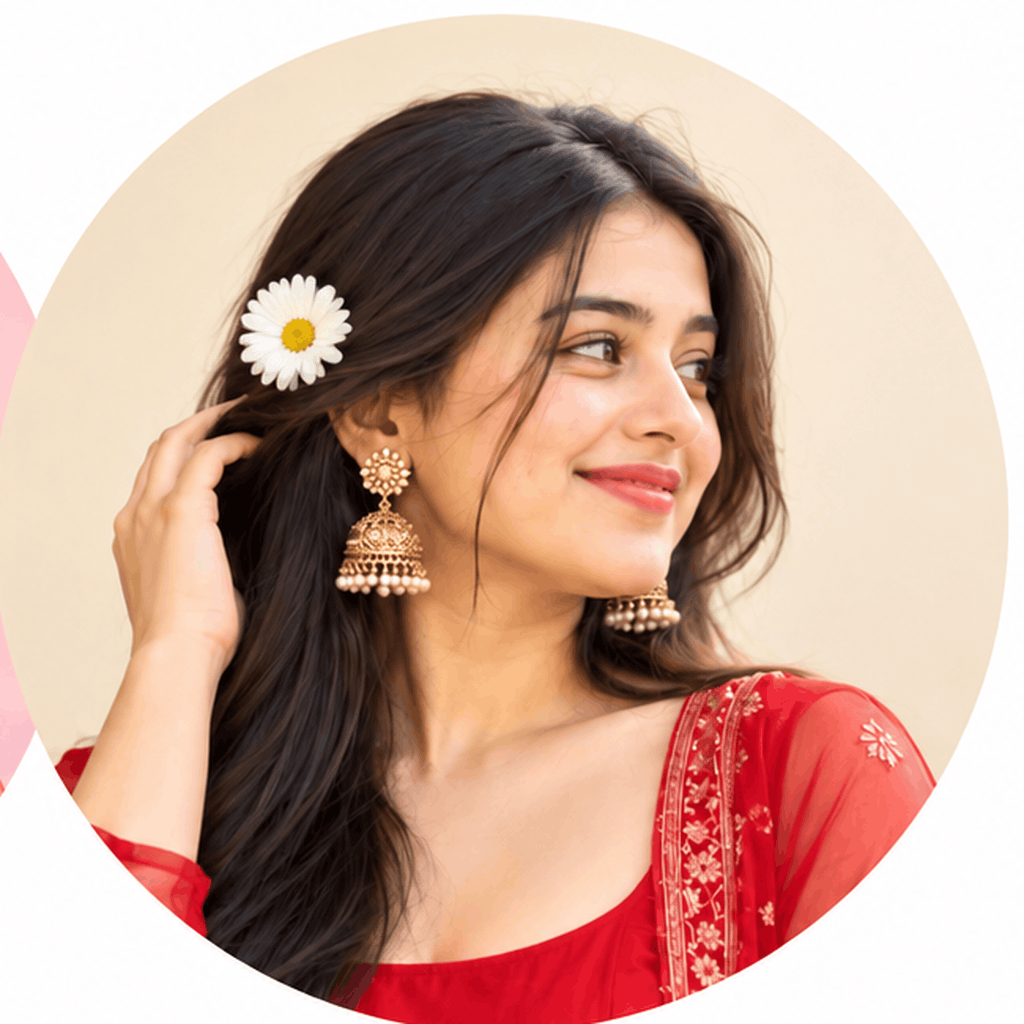
Using the uploaded photo, create a circular profile picture (DP), 1:1 ratio. Keep the face exactly the same. Subject smiling gently with a small white flower in her hair. Background: plain warm cream or beige, no text. Soft natural daylight, gentle glow, elegant simple aesthetic, sharp detail, circular crop.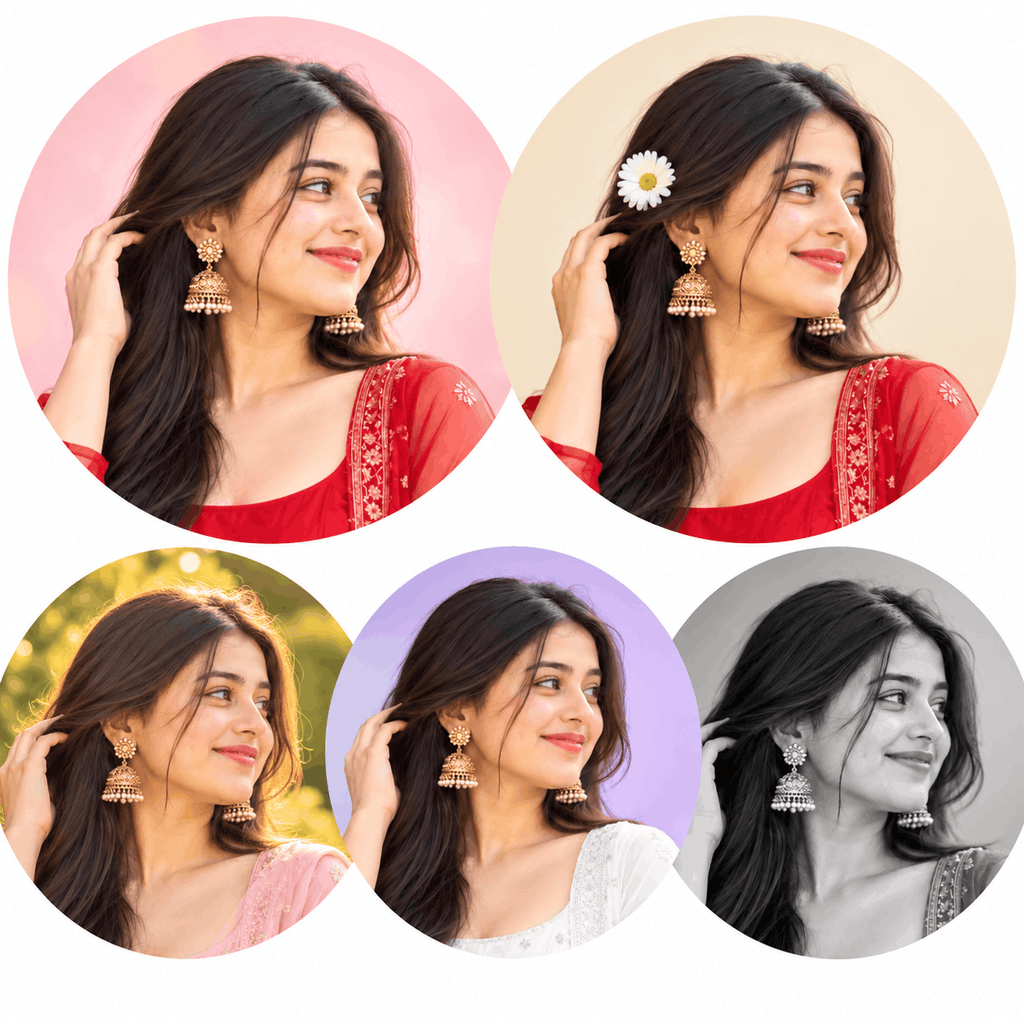
Girl 3: Cozy golden sunlight
Using the uploaded photo, create a circular profile picture (DP), 1:1 ratio. Keep the face exactly the same. Subject wearing a simple pastel top, looking slightly to the side with a soft smile. Background: blurred greenery with warm golden sunlight. No text, no effects. Natural, fresh, cinematic soft tone, circular crop.Girl 4: Lavender minimal
Using the uploaded photo, create a circular profile picture (DP), 1:1 ratio. Keep the face exactly the same. Subject in a plain white outfit, calm expression. Background: smooth light lavender gradient, no text, no graphics. Soft studio lighting, clean skin tones, aesthetic and minimal, circular crop.Girl 5: Classic black and white
DP 11
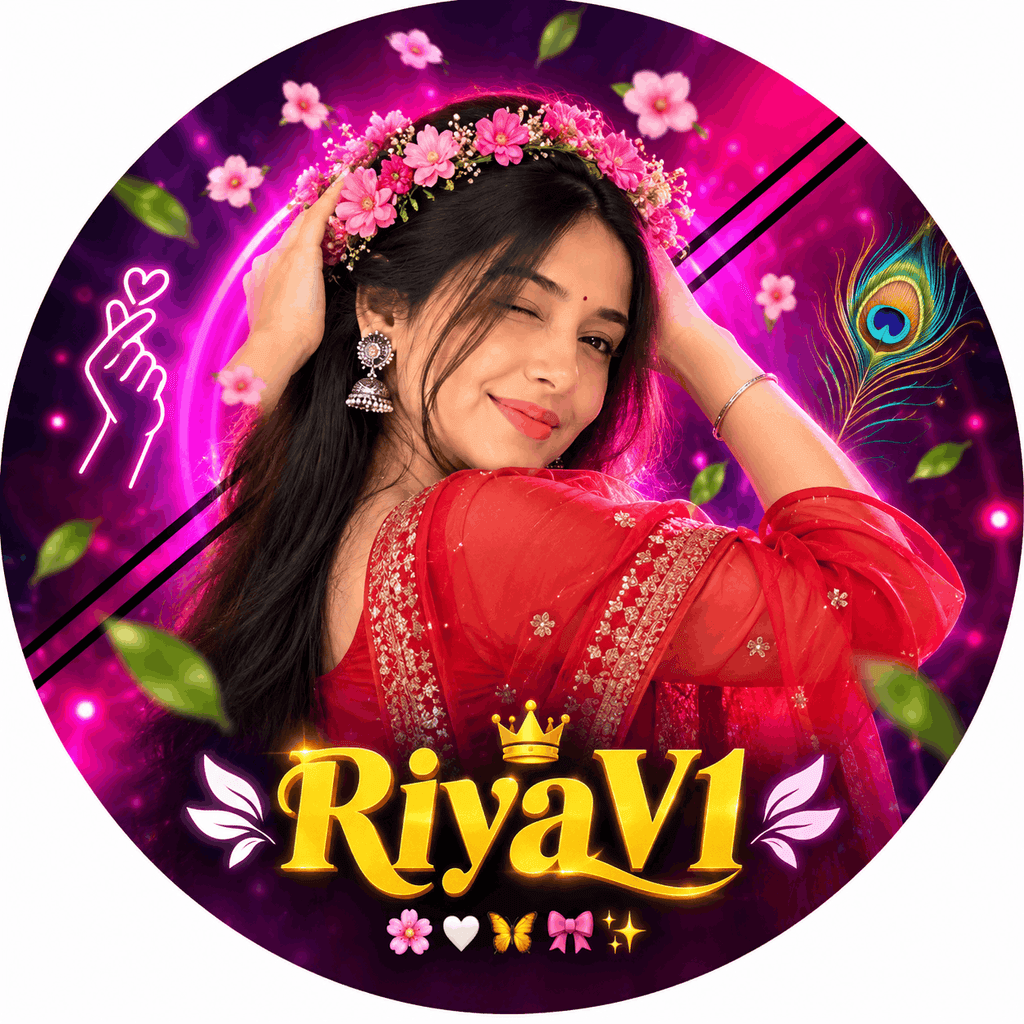
Using the uploaded photo, create a circular profile picture (DP), 1:1 ratio. Keep the person exactly the same, do not change features. Pose: standing with back slightly turned to camera, both hands raised and touching the head, wearing a red outfit. Place a beautiful crown of pink flowers on the head with a few loose flowers floating above. Background: deep purple and hot magenta neon gradient with two thin black diagonal lines crossing the image, soft glow around the subject. Add small green leaves floating around, a small white outline hand-heart (finger heart) doodle on the left side, and a small peacock feather icon on the right. Text at the bottom: "NAME" in bold golden-yellow letters with a small white leaf/wing decoration on both sides, and a row of small cute emojis below the text. Glossy neon aesthetic, high saturation, sharp details, circular crop.DP 12
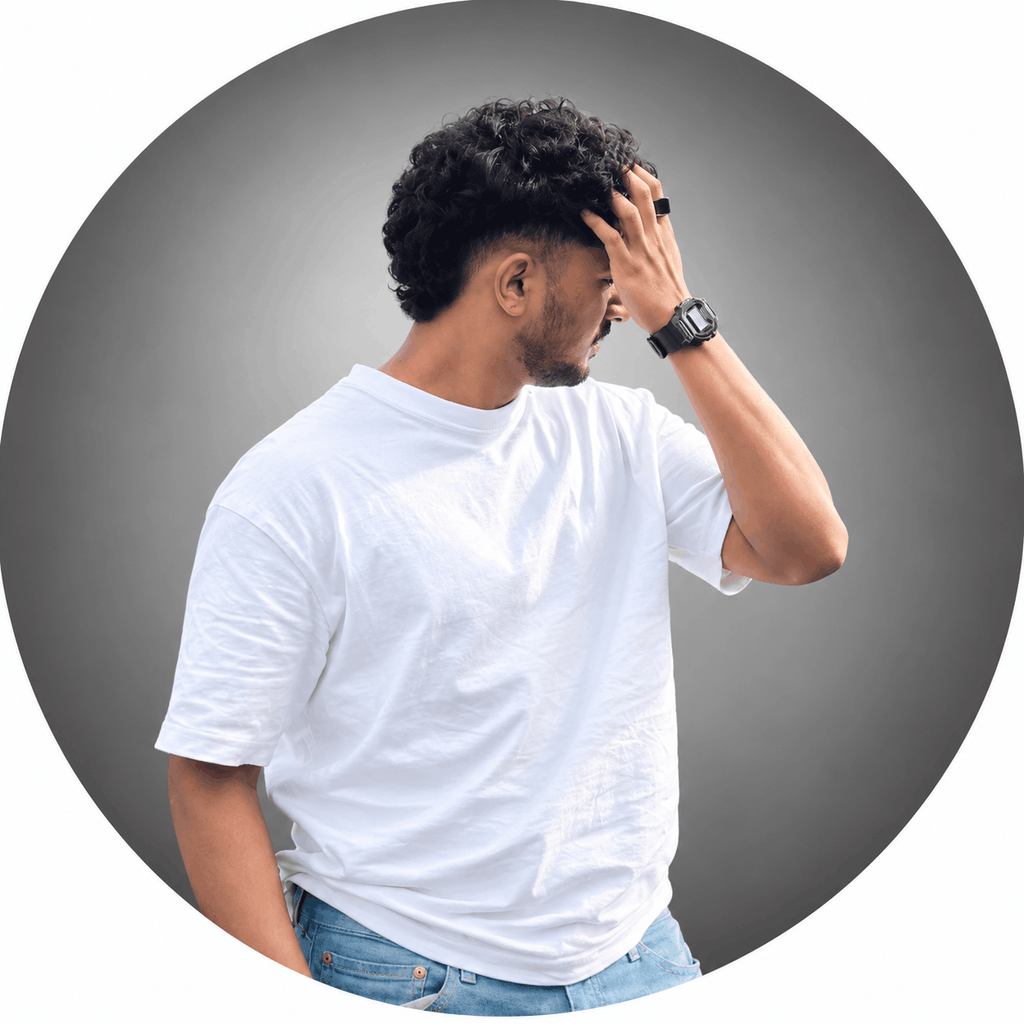
Using the uploaded photo, create a clean circular profile picture (DP), 1:1 ratio. Keep the face exactly the same, do not change facial features. Subject wearing a plain white t-shirt, relaxed natural expression. Background: smooth soft grey gradient, no text, no graphics. Soft studio lighting, natural skin tone, sharp focus, minimal aesthetic, circular crop.DP 13
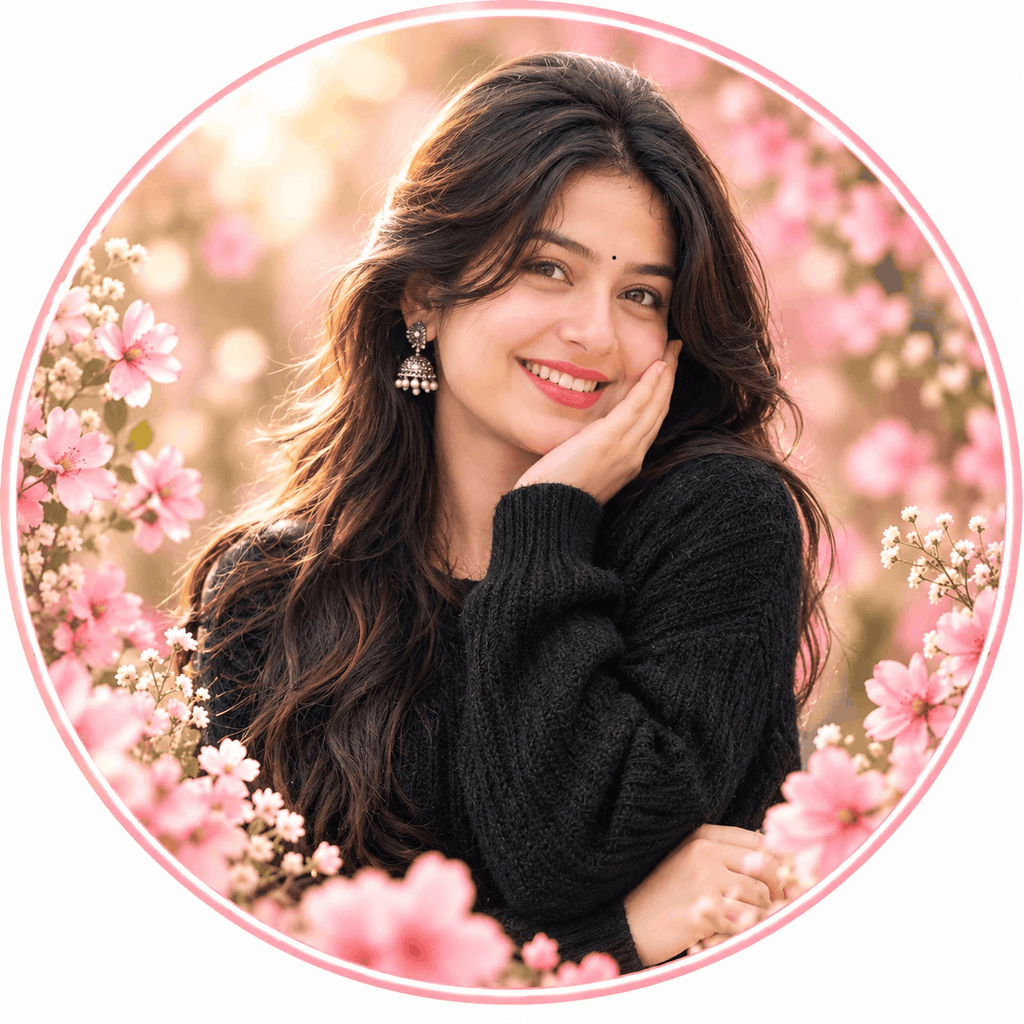
Create a beautiful aesthetic Instagram profile picture using the uploaded reference photo. Preserve the exact face, facial features, hairstyle, skin tone and natural body proportions. Soft pastel pink background, delicate flowers around the portrait, gentle sunlight, subtle glow, elegant feminine aesthetic, clean composition, premium photography, centered subject, 1:1 square profile picture.What does each part of the prompt mean?
The most important line is to keep the face intact. If this line is removed, the AI may alter the shape of the eyes, nose, or jaw in an attempt to beautify the face.
Circular and 1:1 lines prepare the photo for a round frame. Without this, the photo may appear taller or wider, and a round crop may crop the face.
In the name prompt, replace [NAME] with your real name. Keeping the name short and short allows it to appear complete within the circle.
Also Read: How to Create a Romantic Couple Eye Art Prompt Using AI
Lighting elements set the mood. Soft studio light maintains naturalness, golden hour creates warm tones, and neon rim light makes the photo bold. The plainer the background, the clearer the face will appear in a small DP.
The orange-gold mirror selfie has a different composition. It brings together a smartphone, off-white shirt, lightning bolts, and a golden signature. The orange and yellow colors give the photo a warm and energetic appearance. On the other hand, golden hour outdoor designs do not have any additional graphics. There, greenery, sunlight, and a blurred background create the mood of the entire photo.
Boys’ gray, blue, and black and white options emphasize simplicity. These designs don’t include names, stickers, or decorative objects. The advantage is that even a small circular profile picture allows the main face to be clearly visible.
Which photo to upload?
The best photo is one that shows a clear, well-lit, and almost front-on face. Hair should not fall on the face, there should be no harsh shadows, and the photo should not be blurry.
Old, side-angled, heavily filtered, or group photos increase the risk of face alteration. Use a clear portrait of only one person.
Keep a few things in mind:
- The face should not be obscured by another person or object.
- The photo should not have too many beauty filters.
- Choose a clear portrait instead of a full-body photo taken from too far away.
- The outline of the hair and face should be clear.
- The original photo should have minimal unnecessary shadows.
How to Use This Prompt?
Step 1 Copy the Prompt
Copy the entire prompt style you want. Replace [NAME] with your real name in the name prompt.
Step 2 Open ChatGPT
Open ChatGPT or Gemini and start a new chat to avoid being affected by the old image.
Step 3 Add Your Photo
Upload a clear, front-facing photo with your face fully visible.
Step 4 Generate the Image
Paste the prompt and send it. Use only one prompt at a time.
Step 5 Download the Image
Check the face, name text, and circle cropping and download the image you like.
Common problems and their fixes
If the face changes, try this line again:
Keep the face, eyes, nose and mouth exactly as in the uploaded photo. Do not change any facial features.If the name text is cut off or appears incorrectly:
Make the name text smaller, place it lower and keep it fully visible inside the circle.If the skin feels too smooth or plastic:
Also Read: 6 Best Black and White Cinematic Couple Photo Prompts for ChatGPT & Gemini (2026)
Keep natural skin texture, visible pores and realistic details. Do not over-smooth the skin.If the background is too busy:
If the colors seem too bright:
Change just one thing at a time to see which change made a difference.
Final Words
Here we have provided 13 Best DP Prompt ChatGPT & Gemini and you can use it as your profile photo, it gives a modern style and aesthetic type feel, however AI result may be slightly different every time. If you are not satisfied at first try, change a small line and try again. Gradually you will understand which prompt suits your face best.
FAQs
Will the face remain exactly the same?
The prompt has a line to keep the face the same, but the result depends on the photo quality and the tool. A clearer photo gives a better chance.
Will these prompts work in both ChatGPT and Gemini?
Yes, they work in both. The results may vary slightly.
Can I change the name or color?
Yes. Replace [NAME] with your name and slightly change the color or background line.
Is it free?
The free plans for ChatGPT and Gemini may have image generation limits. Check the tool’s current terms.
Is it for a single person?
Yes, all these prompts are designed for single portraits.
Can I use it for a profile photo?
Yes, these prompts are designed for WhatsApp, Instagram, and other social media profiles.